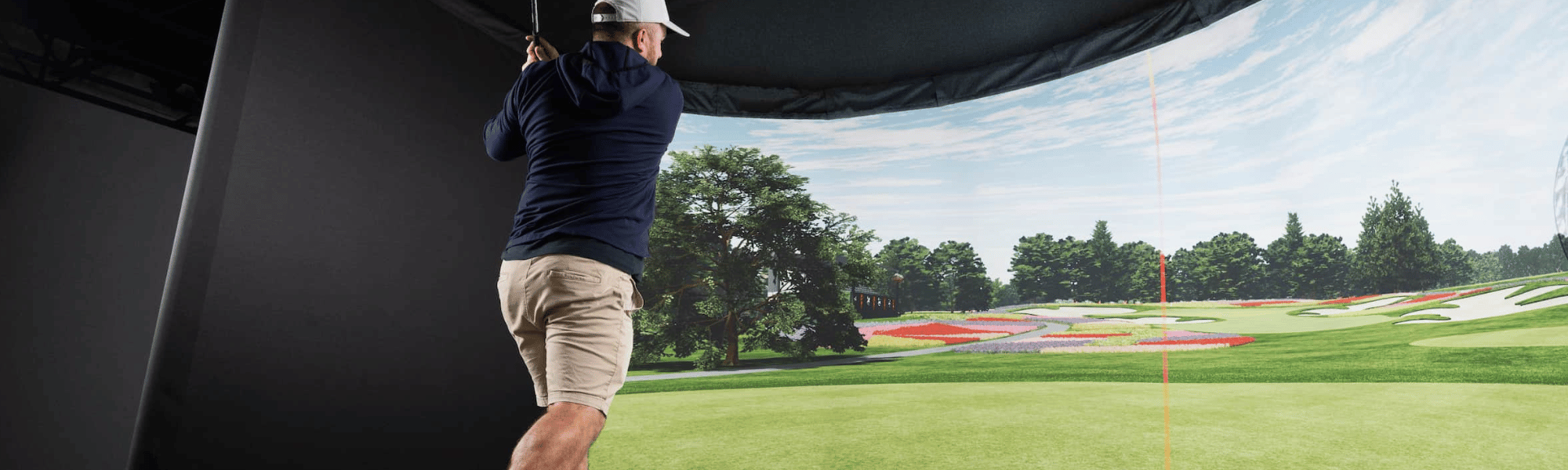
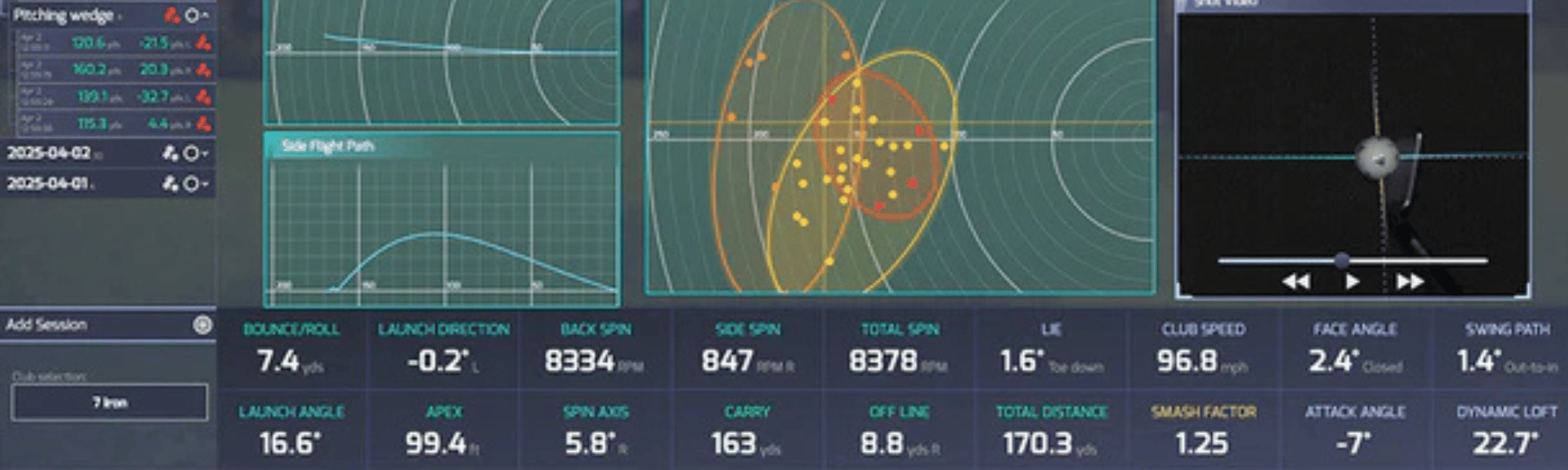
Your launch monitor captures the data. Your projector displays the image. But it's the enclosure and impact screen that turn a room into a golf simulator. Get it right and you've got an immersive, safe, clean-looking setup. Get it wrong and you're dealing with balls bouncing back at you, washed-out images, and a screen that doesn't fit your wall.
This guide walks through everything you need to decide: what size screen fits your room, which enclosure type matches your build, how to choose between screen materials, and when to go with Carl's Place versus SIGPRO. We carry both, we've built with both, and we'll tell you exactly where each one shines.
In This Guide
What a Golf Simulator Enclosure Actually Does
An enclosure isn't just a frame with fabric around it. It does four things that matter:
Safety. An impact screen absorbs golf ball strikes at speeds up to 250 MPH. Without one, you're hitting into a wall, a net that sags, or a bedsheet that won't survive a 7-iron. The enclosure's side panels and top catch shanks, topped shots, and ricochets that would otherwise hit your walls, ceiling, or you.
Image quality. The dark enclosure surround blocks ambient light from washing out your projected image. The difference between a projector hitting a white screen in a lit room versus a white screen inside a dark enclosure is dramatic — colors are richer, contrast is sharper, and the simulation feels real instead of washed out.
Ball containment. Side nets, baffles, and enclosure depth keep balls from escaping the hitting zone. This is especially important for golfers who occasionally mis-hit — and let's be honest, that's all of us.
Aesthetics. A clean enclosure transforms a garage corner into something that looks like a professional simulator bay. It's the difference between "I hit balls into a screen in my garage" and "come check out my golf simulator."
How to Pick Your Screen Size
Screen size is the first decision because everything else — enclosure dimensions, projector choice, and room layout — flows from it. The goal is the largest screen your room can comfortably support without compromising safety or image quality.
Start With Your Room Dimensions
Your screen can't be wider than your room or taller than your ceiling. That sounds obvious, but the screen dimensions include the frame and mounting hardware — not just the viewable area. Leave 2–3 inches of clearance on each side between the enclosure frame and your walls/ceiling. This buffer gives you room to assemble, adjust, and avoid the frame pressing against surfaces.
Choosing an Aspect Ratio
Golf simulator screens come in two common aspect ratios, and each serves a different purpose:
| Aspect Ratio | Common Sizes | Best For |
|---|---|---|
| 4:3 (square-ish) | 8'×10', 9'×12' | Standard home simulators. Maximizes height in rooms with 9–10' ceilings. Most popular for garage and basement builds. |
| 16:9 (widescreen) | 8'×14', 9'×16' | Wide rooms, commercial bays, immersive setups. Matches widescreen projector output. Requires more wall width but creates a cinematic feel. |
Most home builds use 4:3 because ceiling height is the limiting factor — and 4:3 gives you the tallest image for a given width. If you're in a wide commercial space or dedicated room with plenty of ceiling clearance, 16:9 creates a more panoramic, immersive experience.
Screen Size Quick Guide
| Room Ceiling | Room Width | Recommended Screen | Notes |
|---|---|---|---|
| 8' 4"–8' 6" | 10' | SIG8 or Carl's DIY 8×8 | Tight but workable. Leave 2–3" clearance above frame. |
| 9'–9' 6" | 11'–12' | SIG10 or Carl's DIY 10.5×8 | The sweet spot for most garages and basements. |
| 9' 6"+ | 13'+ | SIG12 or Carl's Pro/DIY 12×9 | Large image, great immersion. Needs a brighter projector. |
| 10'+ | 15'+ | Carl's Pro 16:9 or SIGPRO Commercial | Commercial-grade. Widescreen format for max impact. |
Don't Forget Projector Throw Distance
Your projector needs to be far enough from the screen to fill it completely. Every projector has a "throw ratio" spec that determines how far away it needs to be for a given screen width. A short throw projector might fill a 10-foot-wide screen from 4–5 feet away, while a standard throw projector might need 12–14 feet.
Before you lock in a screen size, check your projector's throw ratio against the width of screen you're considering. If your projector can't fill the screen from the distance you have available, either get a smaller screen or a different projector. We carry a range of projectors sized for different setups — browse projectors here.
Enclosure Types Explained
There are five main categories of golf simulator enclosure, and they exist on a spectrum from budget-friendly DIY to luxury commercial installations. Here's what each one is and who it's for.
DIY / Home Enclosure Kits
These are free-standing enclosures designed for garages, basements, and spare rooms. They use lightweight frames (1-inch EMT pipe), nylon or vinyl side panels, and an impact screen mounted to the front. Setup typically takes 1–2 hours with basic tools. They're portable (you can take them down and reassemble) and budget-friendly. Both Carl's Place and SIGPRO offer excellent options in this category.
Pro / Commercial Enclosure Kits
Step up from DIY with heavier-duty 2-inch EMT pipe frames, premium enclosure fabrics, and the ability to mount electronics (projectors, launch monitors, lights) directly to the frame. These are designed for dedicated sim rooms, teaching studios, and commercial facilities where the enclosure is a permanent installation. Larger size options — up to 20 feet wide and 20 feet deep. Both Carl's Place (Pro Enclosure) and SIGPRO (Commercial Enclosure) compete here.
Curved Enclosures
A curved impact screen wraps around your field of vision for a panoramic, immersive experience. Everything about the Pro enclosure — heavy frame, premium fabric, electronics mounting — plus the curved screen that changes how depth and distance feel visually. Currently offered by Carl's Place. This is the luxury tier for high-end home builds and premium commercial bays.
Built-In Room Kits
Instead of a free-standing enclosure, a built-in kit transforms an entire room into the simulator. The impact screen mounts wall-to-wall using a cable and pulley system, and optional wall panels (foam padded, acoustic tile, or carpet tile) protect your walls and absorb sound. No pipe frame — the room itself is the enclosure. Carl's Place offers this as the Built-In Golf Room Kit. It's the cleanest look possible and doubles as a home theater when you're not playing.
Net / Budget Setups
Hitting nets and basic screen-on-frame setups exist at the very entry level. They work for practice into a net with a launch monitor on your phone — but they're not true simulator enclosures. They don't block ambient light, don't provide side or top containment, and don't support projector image quality. If you're planning a full projector-and-screen simulator, invest in a proper enclosure.
Carl's Place vs SIGPRO: Which Enclosure System to Choose
We carry both Carl's Place and SIGPRO because they're both genuinely excellent. The screens are durable, the frames are solid, and the finished product looks professional. You won't regret buying either one. The difference is in how you buy and build — and which one aligns with how you like to make decisions.
Home Tier: Carl's DIY vs SIGPRO SIG Series
| Feature | Carl's Place DIY | SIGPRO SIG Series |
|---|---|---|
| How You Buy | A la carte — pick each piece | Complete package in one box |
| Custom Sizing | Down to the inch | Fixed sizes (SIG8, SIG10, SIG12) |
| Frame | 1" EMT (source locally or buy pipe kit) | Color-coded push-pin poles included |
| Screen Options | 4 materials (Standard, Preferred, Premium, HC Gray) | 2 materials (Premium White, Premier Gray) |
| Image to Floor | ✓ Screen extends to floor level | ✓ Image fills 100% of screen |
| Surround Fabric | Black nylon | Black vinyl |
| Padding | Foam inserts (recommended add-on) | Included in package |
| Electronics Mounting | Not recommended on DIY frame | Not recommended on SIG frame |
| Starting Price | ~$1,540 | ~$1,700 (SIG8) |
Commercial / Pro Tier
Carl's Place Pro Enclosure
- 2" EMT frame — mount projectors and launch monitors directly to it
- BlackStop™ fabric — 100% light-blocking for maximum image quality
- Sizes up to 10' tall × 20' wide × 20' deep
- Premium or High Contrast Gray screen
- Crossbar for electronics mounting
- Also available as a Curved Enclosure for panoramic immersion
SIGPRO Commercial Enclosure
- 2" pipe frame with canopy fittings
- No bottom front pipe — borderless design
- Multiple depths: 5', 8', 10', 13', 15'
- Crossbar for projector and launch monitor mounting
- Premium White or Premier Gray screen
- Designed for multi-bay facilities and high-traffic environments
Both the Carl's Pro and SIGPRO Commercial use heavy-duty 2-inch pipe frames that support ceiling-mounted electronics. The main differentiators: Carl's offers the proprietary BlackStop™ light-blocking fabric and the option to go curved. SIGPRO offers the borderless bottom design and standardized depth options that simplify commercial planning.
📞 Planning a Pro, Commercial, or Curved Build?
These enclosures are a significant investment — and the price jumps considerably from the home tier. Before you order, let us take a second look at your room dimensions and plans. There's nothing worse than a $4,000+ enclosure that's 6 inches too wide for your space. A quick email exchange can save you time, money, and headaches.
Talk to Our Team → Email Us Your DimensionsChoosing Your Impact Screen Material
The impact screen is the single most important surface in your simulator — it takes every ball strike, displays your projected image, and sets the visual tone for the entire experience. Both Carl's Place and SIGPRO offer multiple screen materials at different price and performance levels.
White vs. Gray Screens
This is the most common question we get, and the answer depends on your room's lighting:
| Screen Color | Best Room Conditions | Why |
|---|---|---|
| White (Premium) | Dark rooms — basements, windowless rooms, enclosed garages | Maximum brightness and color vibrancy. The standard choice when you can control ambient light. |
| Gray (HC Gray / Premier) | Bright rooms — garages with windows, rooms with overhead lighting | Gray absorbs ambient light better, producing higher contrast and less washout in bright environments. |
If you have a dark, enclosed space with minimal natural light, go white. If your garage has windows or you play with the lights on, go gray. Both materials handle ball impacts equally well — this is purely a visual quality decision.
Screen Material Tiers (Carl's Place)
Carl's Place offers four screen tiers, and the jump between them is meaningful:
Standard — entry-level mesh. Budget-friendly, gets the job done, but the image isn't as crisp and durability is lower than premium options. Best for casual users on a budget.
Preferred — 100% heavy-duty polyester with a tighter weave. Noticeably better image quality and noise reduction than Standard. A solid mid-range choice for most home builds.
Premium — Carl's top-tier white screen. Triple-layer construction with the tightest weave. Best image clarity, lowest bounceback, best noise dampening. The go-to for serious home simulators.
High Contrast Gray — same premium construction as the Premium, but in gray. For bright rooms where ambient light is a factor.
Screen Material Tiers (SIGPRO)
SIGPRO offers two screen options:
SIGPRO Premium (White) — SIGPRO's flagship screen. Independently tested by MyGolfSpy, where it outperformed the competition in durability, noise reduction, and bounceback resistance. Multi-layer construction rated for 250+ MPH ball speeds. This is the default screen included with all SIG Series enclosures.
SIGPRO Premier (Gray) — same construction as the Premium, in a gray finish for bright environments. Improved contrast and reduced washout compared to white screens in well-lit rooms.
Frame & Assembly
Every enclosure needs a frame, and the frame material matters for both durability and what you can mount to it.
1-Inch EMT (DIY / Home Tier)
Both Carl's DIY and SIGPRO SIG Series use lightweight pipe framing. Carl's uses 1-inch EMT conduit — you can buy a pre-cut pipe kit from Carl's or source and cut the pipes locally at a hardware store (which saves money). SIGPRO includes color-coded push-pin poles in the box — no pipe cutting, no trips to the hardware store. Both approaches result in a sturdy frame that handles ball impacts, but neither is designed to support mounted electronics (projectors, launch monitors). Mount those to your ceiling or wall instead.
2-Inch EMT (Pro / Commercial Tier)
Both Carl's Pro/Curved and SIGPRO Commercial use heavy-duty 2-inch EMT pipe. This thicker framing is strong enough to support ceiling-mounted electronics — projectors, overhead launch monitors, and lighting can all attach to the crossbar. If you want a self-contained bay where everything mounts to the enclosure rather than your ceiling, this is the tier you need. Carl's offers pre-cut pipe kits; SIGPRO Commercial includes the pipe frame kit with the enclosure.
Assembly Difficulty
All of these enclosures are designed for DIY assembly. The SIGPRO SIG Series is the easiest — push-pin assembly with color-coded components, no tools required beyond basic common sense. Carl's DIY is straightforward but requires a bit more hands-on work, especially if you're sourcing and cutting your own pipes. Pro and Commercial enclosures from both brands are more involved (bigger, heavier, more pieces) and benefit from a second person.
Mounting Electronics to Your Enclosure
One of the most common questions: can I mount my projector and launch monitor to the enclosure frame instead of the ceiling?
DIY / Home tier (1-inch frame): No. The frame isn't designed to support the weight and vibration of mounted electronics. Mount your projector and launch monitor to the ceiling or wall independently.
Pro / Commercial tier (2-inch frame): Yes. Both Carl's Pro/Curved and SIGPRO Commercial enclosures support electronics mounting via crossbars and mount kits. This is a major advantage for commercial installations and rooms with very high ceilings where ceiling-mounting would be impractical.
If you're using an overhead launch monitor like the VTrack or ProTee VX, both are front-mounted and compatible with either approach — ceiling mount or enclosure crossbar mount (on Pro/Commercial frames).
📐 The Decision Tree
Here's the shortest path to the right enclosure:
What's your room size? Measure ceiling, width, depth → pick the largest screen size that fits with 2–3" clearance.
Home or commercial? Home → Carl's DIY or SIGPRO SIG Series. Commercial/Pro → Carl's Pro or SIGPRO Commercial.
Do you want to customize? Yes → Carl's Place (pick every component, custom sizing to the inch). No → SIGPRO (pick your size, everything in one box).
Bright room or dark room? Dark → white screen. Bright → gray screen.
Want curved immersion? Carl's Curved Enclosure is the only option in this category.
Need to mount electronics to the frame? You need the Pro/Commercial tier with 2-inch pipe framing.
Browse Enclosures → Build Your Sim →Frequently Asked Questions
What size screen do I need for a 10-foot-wide room?
For a 10-foot-wide room, a screen width of around 8 to 9 feet (96"–108") gives you the clearance you need on both sides. The SIGPRO SIG8 (8'4" wide) is a natural fit, or a Carl's DIY kit sized to your exact dimensions. Make sure to account for the enclosure frame — the frame adds a few inches to the overall width beyond the viewable screen area.
Should I get a white or gray impact screen?
White if your room is dark (basement, no windows, enclosed garage). Gray if your room has natural light or you play with overhead lights on. Gray screens resist ambient light washout better, while white screens produce brighter, more vibrant images in controlled lighting. When in doubt, white is the safer default — you can always add blackout curtains later.
What's the difference between Carl's Place and SIGPRO?
Both are premium enclosure brands with excellent screens and build quality. The main difference is the buying experience: Carl's Place lets you customize every component a la carte — screen material, size down to the inch, frame, add-ons. SIGPRO offers complete packages (SIG8, SIG10, SIG12) where you pick a size and everything arrives together. Carl's has a slight edge in screen-to-floor image design, while SIGPRO edges ahead on out-of-box simplicity. Either way, you're getting a high-quality simulator enclosure.
Can I mount my projector or launch monitor to the enclosure frame?
Only on Pro/Commercial tier enclosures with 2-inch pipe framing (Carl's Pro, Carl's Curved, or SIGPRO Commercial). Home tier enclosures (Carl's DIY, SIGPRO SIG Series) use lighter 1-inch framing that isn't designed to support mounted electronics. For home setups, mount your projector and launch monitor to the ceiling or wall instead.
How deep should my enclosure be?
Deeper enclosures catch more errant shots and block more ambient light. For home setups, 5 feet of depth is standard and sufficient for most golfers. If you tend to hit shanks or want extra containment, consider 8 feet. Commercial setups typically go 10–15 feet deep for maximum safety and immersion. Remember that enclosure depth eats into your room depth — account for it when planning your screen-to-ball distance.
Is the Carl's Curved Enclosure worth the extra cost?
If you have the budget and the room, it's a genuinely transformative upgrade. The curved screen wraps around your peripheral vision, which improves depth perception and makes carry distances feel more realistic. It changes the experience from "looking at a flat image" to "standing inside the course." That said, it's a significant price jump from the Pro enclosure and requires a projector that can handle curved projection well. We'd recommend reaching out to us before ordering — we can help you determine if a curved screen makes sense for your specific room and projector setup.
How far should my screen be from the wall behind it?
12 to 16 inches minimum. This buffer allows the screen to flex and absorb ball impacts without slamming into the wall. If you go flush, the screen can't decelerate the ball properly — leading to harder bounceback, faster screen wear, and potential wall damage. Most enclosure frames build this buffer into their depth automatically.
Can Golf Sim Depot help me pick the right enclosure?
That's exactly what we're here for. Send us your room dimensions — height, width, depth, and photos if you have them — and we'll recommend the right enclosure size, type, and screen material for your space. Free advice, no pressure. Chat, email, or call us anytime.