
Before you pick a launch monitor, projector, or impact screen, you need to answer a more fundamental question: does your room actually work?
The good news is that golf simulators fit into far more spaces than most people think. Garages, basements, bonus rooms, barns, dedicated outbuildings — we've helped customers set up in all of them. The key is knowing your three critical numbers: ceiling height, room width, and room depth. Get those right and everything else falls into place.
This guide walks through exactly how to measure your space, what dimensions you actually need (minimum vs. ideal), how different launch monitors affect room requirements, and the real-world gotchas that catch first-time builders off guard.
Golf Simulator Room Dimensions: Quick Reference
Here's the short version. If your room meets these numbers, you can build a simulator in it.
| Dimension | Minimum | Recommended | Why It Matters |
|---|---|---|---|
| Ceiling Height | 8.5–9 ft | 10 ft+ | Swing clearance, overhead monitor mounting |
| Room Width | 10 ft | 14 ft+ | Swing clearance, left/right-handed play |
| Room Depth | 15 ft | 18–20 ft | Screen distance, swing room, launch monitor placement |
If your space is tight on one or more dimensions, don't give up yet — there are usually ways to make it work. Read on for the details.
Ceiling Height: The Most Common Dealbreaker
Ceiling height is the dimension that eliminates the most rooms — and it's the one you can't easily change. Width and depth can be worked around with creative layouts, but if your club hits the ceiling, nothing else matters.
Ceiling Height Guidelines
Whether you can swing in a given ceiling height depends on your height, arm length, club length, and swing plane. A 5'8" golfer with a flat swing plane might be perfectly comfortable at 8.5 feet. A 6'3" golfer with an upright swing will hit the ceiling at 9 feet with a driver.
If you're between 8.5 and 9 feet, you may be limited to irons and hybrids — which is still valuable practice. Many golfers are perfectly happy hitting wedge through 5-iron in their sim and saving the driver for the range. You can build a complete short game and iron practice environment in a room that won't accommodate a full driver swing.
Ceiling Height and Overhead Launch Monitors
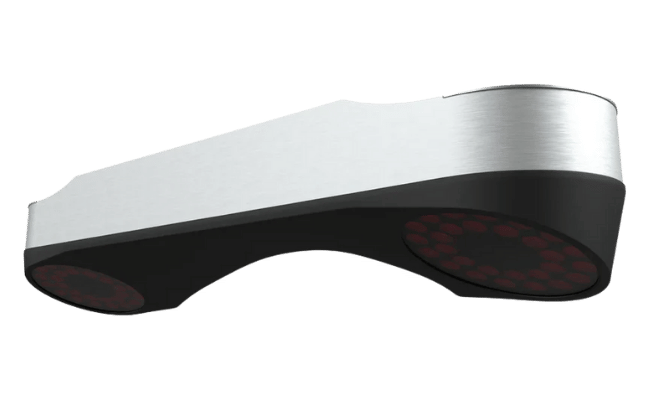
If you're planning to use an overhead launch monitor (and there are excellent reasons to — nothing on the floor, clean hitting zone, instant left/right switching), ceiling height takes on a second dimension: the monitor itself needs vertical clearance.
Most overhead monitors mount 9 to 10 feet above the hitting surface, which means your ceiling needs to be at least that high. Some have lower minimums:
| Overhead Monitor | Min Ceiling Height | Mounting Position |
|---|---|---|
| VTrack | 8' 10" (lowest in class) | 3–3.5 ft in front of tee |
| ProTee VX | 9' 0" | ~3 ft in front of tee |
| Uneekor EYE XO2 | 9' 0" | 3.5 ft in front of tee |
| Uneekor EYE XR | 9' 0" | 3.5 ft behind tee (rear mount) |
| Foresight Falcon | 9' 6" | 4 ft in front of tee |
| Trackman iO | 9' 4" | 3.3 ft in front of tee |
If you're working with a lower ceiling and want overhead mounting, the VTrack at 8' 10" gives you the most flexibility. The ProTee VX and Uneekor systems need a true 9-foot ceiling.
Room Width: More Flexible Than You Think
Width Guidelines
Width determines whether you can swing without hitting walls, and whether both right- and left-handed golfers can play comfortably.
In a 10-foot-wide room, you'll need to offset your hitting position toward one side. This works fine for a single-handed golfer — you shift the tee toward the wall on your follow-through side and give yourself more clearance on the backswing side. A right-handed golfer would offset toward the left wall (as they face the screen), since the club extends further to the right on the backswing.
The trade-off is that an offset tee means the projected image won't be perfectly centered on the screen relative to where you're standing. For casual play and practice, this is barely noticeable. For someone who wants a perfectly centered, symmetrical setup — or wants to host both right- and left-handed players without moving anything — 14 feet is the target.
Room Depth: Where Launch Monitors Change Everything
Room depth is the most nuanced dimension because it's not just one number — it's the sum of several zones, and your launch monitor choice directly affects how deep each zone needs to be.
Total Depth = Four Zones Combined
Breaking Down the Depth Zones
Zone 1: Behind the Screen (12–16 inches)
Your impact screen needs breathing room between it and the wall behind it. This buffer absorbs the energy of ball strikes and prevents the screen from slamming into the wall. Most screen manufacturers recommend 12 to 16 inches minimum. If you're using a frame-mounted enclosure, this buffer is built into the design. If you're doing a wall-to-wall screen, make sure you account for it.
Zone 2: Screen to Ball (10–12 feet)
This is the distance from your impact screen to the golf ball at address. Ten feet is the standard minimum, twelve is better. This distance matters for two reasons: safety (a shorter distance means the ball has less time to decelerate before hitting the screen, which means harder impacts and more bounceback risk) and projected image quality (your projector needs enough throw distance to fill the screen without distortion).
Zone 3: The Hitting Area (3–5 feet)
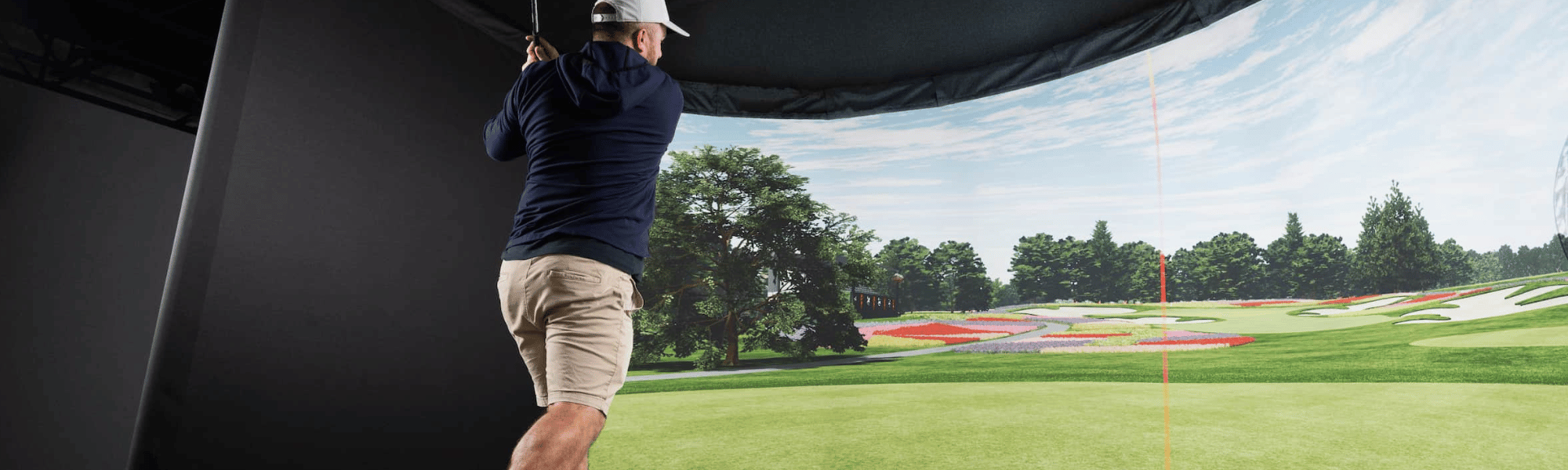
This is the space you physically occupy when addressing the ball and swinging. From the ball forward to the end of your follow-through, and from the ball back to where your trailing foot sits at address. Three to five feet covers most golfers.
Zone 4: Behind the Golfer (depends on launch monitor)
This is where your launch monitor choice dramatically affects room depth requirements. Overhead and front-mounted photometric monitors need very little room behind you — just enough to swing and step back comfortably (3–4 feet). Rear-mounted or radar-based monitors need significantly more:
| Launch Monitor Type | Space Behind Golfer | Examples |
|---|---|---|
| Overhead (front-mounted) | 3–4 ft (swing room only) | VTrack, ProTee VX, EYE XO2, Falcon |
| Ground Photometric (beside ball) | 4–5 ft | GC3, GCQuad, SkyTrak, Spica 3 |
| Overhead (rear-mounted) | 3.5 ft + mounting clearance | Uneekor EYE XR |
| Radar-Based (floor, behind golfer) | 6–10 ft behind ball | Garmin R10, Mevo+, Full Swing KIT |
This is one of the biggest advantages of overhead and ground-based photometric monitors: they free up the space behind you. A VTrack or ProTee VX mounted to the ceiling in front of the tee means you only need swing clearance behind you — no extra depth for the monitor itself. A radar unit like the Mevo+ or Garmin R10 sits 6–8 feet behind the ball, eating directly into your room depth.
Don't Forget the Projector
Your projector adds another spatial consideration that trips up first-time builders. There are two main types, and they affect your room layout differently.
Short Throw Projectors
Short throw (and ultra-short throw) projectors mount close to the screen — typically on the ceiling, 3 to 6 feet from the screen surface. They project "up" at the screen from a steep angle. This is the most popular choice for home simulators because the projector sits in front of you, out of the way of your swing and your shadow.
The key consideration: if you're using a front-mounted overhead launch monitor (VTrack, ProTee VX, EYE XO2), the projector and monitor occupy different ceiling zones — no conflict. If you're using the Uneekor EYE XR (rear-mounted), the launch monitor sits in the same ceiling area where most short throw projectors mount. Both devices are behind the golfer, competing for the same real estate. It's solvable, but it adds complexity.
Standard Throw Projectors
Standard throw projectors mount further back — typically 10 to 14 feet from the screen, often behind the golfer. They're generally more affordable and produce excellent image quality, but your body can cast shadows on the screen during your swing. Some golfers don't mind this; others find it distracting.
With a standard throw projector, make sure the projector's throw distance aligns with your screen-to-ball distance. Check the manufacturer's throw ratio spec and your screen size to calculate the exact mounting position.
Garage Simulator Builds: What to Watch For
Garages are the most common location for home simulators — and for good reason. They're usually the deepest room in the house, they have concrete floors that don't care about divots, and you can make noise without disturbing the rest of the household. But garages come with unique challenges.
Ceiling Obstructions
Garage ceilings often have exposed joists, garage door tracks, light fixtures, and sometimes HVAC ducts running across them. Measure your clear ceiling height — not to the drywall above, but to the lowest obstruction in the zone where you'll swing and where you'll mount equipment. A garage might be 10 feet to the drywall but only 8.5 feet to the bottom of a joist.
Garage Door Track Clearance
If you plan to still use the garage for cars (or want the option to open the door for ventilation), make sure your screen enclosure doesn't block the garage door track. Most builders position the screen and enclosure against the back wall, leaving the garage door functional. Measure the clearance between your proposed enclosure position and the highest point of the garage door track's path.
Temperature and Climate
Uninsulated garages swing from freezing in winter to sweltering in summer. If you're in an extreme climate, consider insulating the space — or at minimum, know that your projector, PC, and launch monitor will be operating in those conditions. Most electronics have operating temperature ranges. An overhead launch monitor bolted to the ceiling of a 110°F garage in July is not ideal. A space heater or portable AC can make a garage sim usable year-round.
Floor Surface
Concrete is fine for a hitting mat to sit on — actually better than carpet in many ways, since it won't shift. But if you want padding for comfort during long sessions, consider interlocking foam tiles around (not under) the hitting area. Keep the hitting mat directly on concrete so it doesn't compress or shift during swings.
Basement Simulator Builds: What to Watch For
Basements are the second most popular location, especially for northern-climate golfers who want a year-round, climate-controlled environment. The challenge is almost always ceiling height.
Ceiling Height Is Usually the Constraint
Standard basement ceilings range from 7.5 to 9 feet depending on the home. If you have a finished basement with a dropped ceiling, the actual clearance may be lower than the framed height. Remove a ceiling tile and measure to the underside of the joists — that's your true available height if you're willing to work with an open ceiling or raise tiles in the hitting zone.
Support Columns and Posts
Basement support columns (lally columns) can interfere with your swing zone or screen placement. Map every column in the area and design your layout around them. A column 2 feet to the left of your hitting position is fine. A column directly in your backswing path is a non-starter.
Utilities
Basements often have water heaters, furnaces, electrical panels, and plumbing running through them. These can't be moved easily. Plan your simulator footprint around fixed utilities, and make sure you maintain access to anything that might need service — don't wall off your furnace behind an impact screen.
Launch Monitor Space Requirements at a Glance
Every launch monitor has its own spatial footprint. Here's a consolidated reference table for the most popular models. These are launch monitor requirements only — you still need to account for swing room, screen buffer, and projector placement on top of these.
| Launch Monitor | Type | Position | Min Ceiling | Min Depth Impact |
|---|---|---|---|---|
| VTrack | Overhead | 3–3.5 ft in front of tee | 8' 10" | Low — no depth added |
| ProTee VX | Overhead | ~3 ft in front of tee | 9' 0" | Low — no depth added |
| Uneekor EYE XO2 | Overhead | 3.5 ft in front of tee | 9' 0" | Low — no depth added |
| Uneekor EYE XR | Overhead (rear) | 3.5 ft behind tee | 9' 0" | Moderate — needs clearance behind |
| Foresight GC3 / GCQuad | Ground | Beside ball | N/A | Low — no depth added |
| GolfJoy Spica 3 | Ground | Beside/behind ball | N/A | Low — ~6 ft to screen |
| SkyTrak / SkyTrak+ | Ground | Beside ball | N/A | Low — no depth added |
| Garmin Approach R10 | Radar (floor) | 6–8 ft behind ball | N/A | High — adds 6–8 ft depth |
| FlightScope Mevo+/Gen2 | Fusion (floor) | 8 ft behind ball | N/A | High — adds 8+ ft depth |
| Full Swing KIT | Radar (floor) | 10 ft behind tee | N/A | Very high — adds 10 ft depth |
| Foresight Falcon | Overhead | 4 ft in front of tee | 9' 6" | Low — no depth added |
| Trackman iO | Overhead | 3.3 ft in front of tee | 9' 4" | Low — no depth added |
The pattern is clear: overhead and ground-based photometric monitors preserve your room depth. Radar-based units eat into it. If you're working with a garage or basement under 18 feet deep, an overhead monitor like the VTrack or ProTee VX will give you significantly more usable space than a floor-mounted radar unit.
How to Actually Measure: Step-by-Step
Grab a tape measure and a notepad. This takes about 10 minutes.
Step 1: Ceiling Height
Measure floor-to-ceiling at multiple points throughout the planned simulator area. Check for low spots — joists, beams, light fixtures, garage door tracks, HVAC ducts. Write down the lowest clearance in both the swing zone and the equipment mounting zone. These may be different numbers, and both matter.
Step 2: Room Width
Measure wall to wall at the widest point in the hitting area. Note any intrusions — shelving, water heaters, electrical panels, support columns. Your usable width is wall-to-wall minus anything that sticks out into the swing zone.
Step 3: Room Depth
Measure from the wall where your screen will go to the back wall (or garage door). This is your total available depth. Then subtract backward: 1 ft for screen buffer, 10–12 ft for screen-to-ball distance, and whatever your launch monitor needs behind you. What's left is your swing room. If that number is less than 3 feet, the room is too shallow — or you need a different launch monitor.
Step 4: Swing Test
This is the step most people skip, and it's the most important one. Take your longest club to the room. Stand where you'd be hitting. Take real, full swings. Check clearance above, to the left, to the right, and behind you. Do this with your normal swing — not a careful, ceiling-aware half swing. You need to know if the room works with how you actually play.
Five Mistakes First-Time Builders Make
1. Measuring to the Wrong Ceiling Point
The ceiling height that matters is the lowest obstruction in the swing zone, not the height of the drywall or the peak of the ceiling. Exposed joists, garage door tracks, can lights, and HVAC ducts all count.
2. Ignoring the Screen Buffer
Hanging your impact screen flush against the wall saves depth on paper but creates problems: the ball can't decelerate, the screen gets pinched against the wall on impact, and you risk damaging both the screen and the wall. Leave 12 to 16 inches minimum.
3. Choosing a Radar Monitor in a Short Room
Radar-based launch monitors (Mevo+, Garmin R10, Full Swing KIT) need 6 to 10 feet behind the ball. In a 16-foot garage, that leaves almost no room between you and the screen. Match your monitor to your depth — if the room is under 18 feet, strongly consider an overhead or ground-based photometric system instead.
4. Forgetting About the Projector
You need a projector, and it needs to go somewhere. Account for its mounting position when planning your ceiling layout, especially if you're also mounting a launch monitor overhead. Short throw projectors are almost always the right answer for home sims.
5. Not Testing the Swing
We said it above and we'll say it again: take your clubs to the room and swing. No amount of measuring replaces actually swinging a driver in the space. One test swing is worth a thousand tape measure readings.
📐 The Bottom Line
Most garages and basements can fit a golf simulator. The sweet spot is 10 feet high, 14 feet wide, and 18 feet deep — but plenty of great setups exist in rooms that are tighter on one or more dimensions. The key is measuring carefully, choosing a launch monitor that matches your space, and testing your swing before you buy anything.
If you're working with a shorter or shallower room, an overhead launch monitor like the VTrack (8' 10" ceiling minimum, no depth added behind the golfer) or the ProTee VX (9' minimum, no depth added) will maximize your usable space — keeping the floor clear and giving you every inch of depth for screen distance and swing room.
Shop VTrack → Shop ProTee VX → Browse All Launch MonitorsFrequently Asked Questions
Can I build a golf simulator in a room with 8-foot ceilings?
It depends on your height and swing. Shorter golfers with flatter swing planes can often swing irons comfortably at 8 feet, but you'll almost certainly need to skip driver and fairway woods. At 8 feet, you also won't be able to mount most overhead launch monitors — the VTrack (8' 10" minimum) comes closest but still needs a bit more. A ground-based photometric monitor like the GC3 or SkyTrak would work in an 8-foot room.
What's the absolute minimum room size for a golf simulator?
Roughly 9 feet high × 10 feet wide × 15 feet deep — but this is a bare minimum with real compromises. You'll likely be limited on club selection, won't have room for seating or social space, and may need to offset your tee position. Most golfers are much happier with 10 × 14 × 18 or larger.
Do I need more room for an overhead launch monitor?
Actually, less. Overhead monitors mount to the ceiling in front of (or behind) the tee, so they don't take up any floor depth. This is their biggest practical advantage over radar-based units that sit on the floor 6–10 feet behind the ball. The only additional requirement is ceiling height — most need 9 to 10 feet of clearance.
Can I use a golf simulator in a two-car garage and still park a car?
Potentially, if you use a retractable or foldable screen setup and your enclosure doesn't permanently block one bay. Some golfers mount the screen against the back wall and park in the bay closest to the garage door when not playing. It's tight but doable if the garage is deep enough (20+ feet) and you're willing to move things around between sessions.
How far should my impact screen be from the wall?
12 to 16 inches minimum. This buffer lets the screen flex and absorb ball impacts without hitting the wall. If you go flush against the wall, the screen can't decelerate the ball properly — leading to excessive bounceback and faster screen wear. Some frame-mounted enclosures build this buffer into their design.
Will a short throw projector work with an overhead launch monitor?
Yes — as long as the monitor is front-mounted (VTrack, ProTee VX, EYE XO2, Falcon, Trackman iO). The projector mounts behind or above you, the launch monitor mounts in front of you — no conflict. The one exception is the Uneekor EYE XR, which rear-mounts behind the golfer and can compete for the same ceiling zone as a short throw projector.
Can Golf Sim Depot help me plan my room layout?
Absolutely. Send us your room dimensions — height, width, depth, and photos if you have them — and we'll help you figure out the best launch monitor, projector placement, and screen size for your space. Free advice, no pressure. Reach out via chat or phone anytime.