


GolfJoy Spica 3 Golf Simulator - SIG10 Complete Package
Full-Screen Projection. Triple-Camera Accuracy. Portable Enough to Leave the Bay.
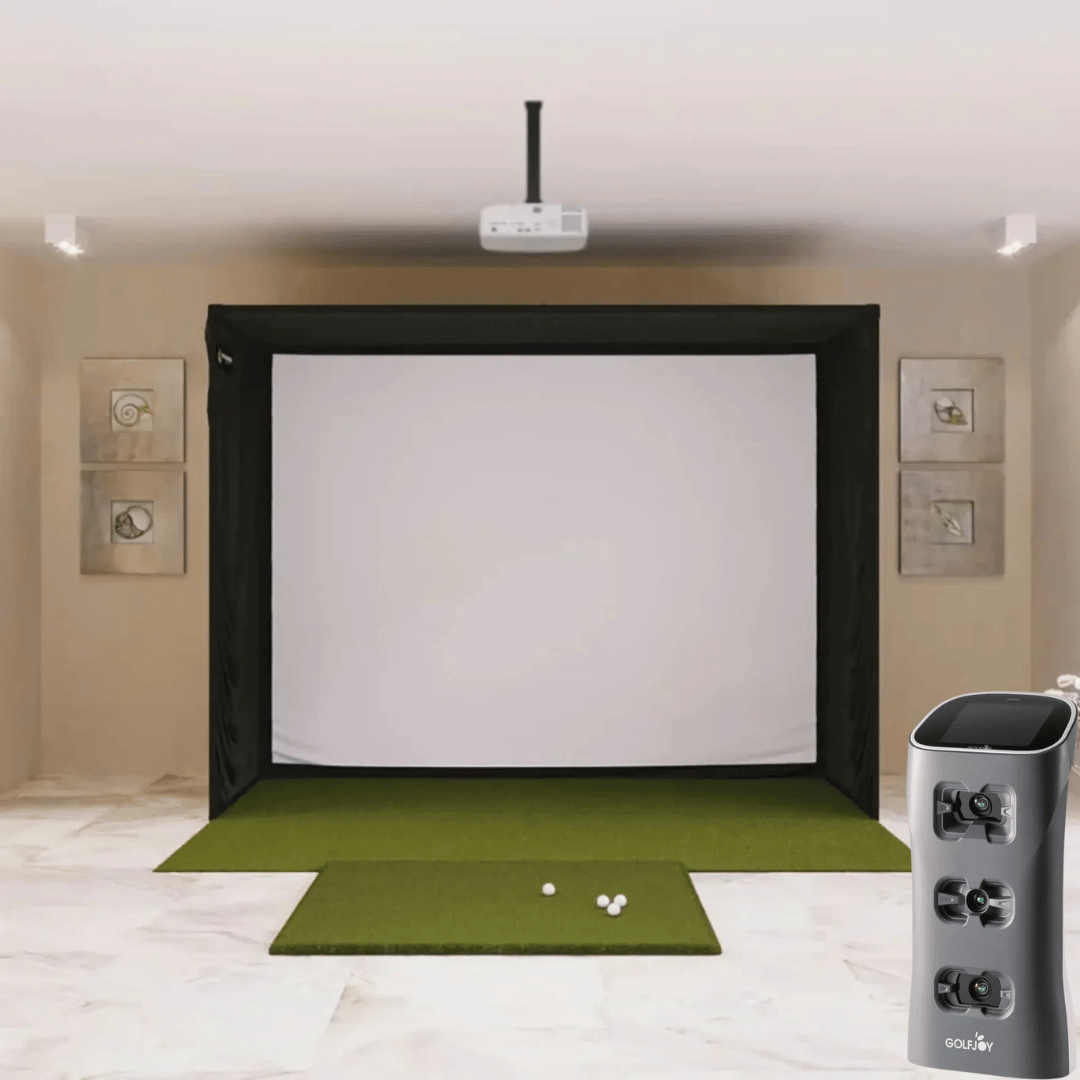
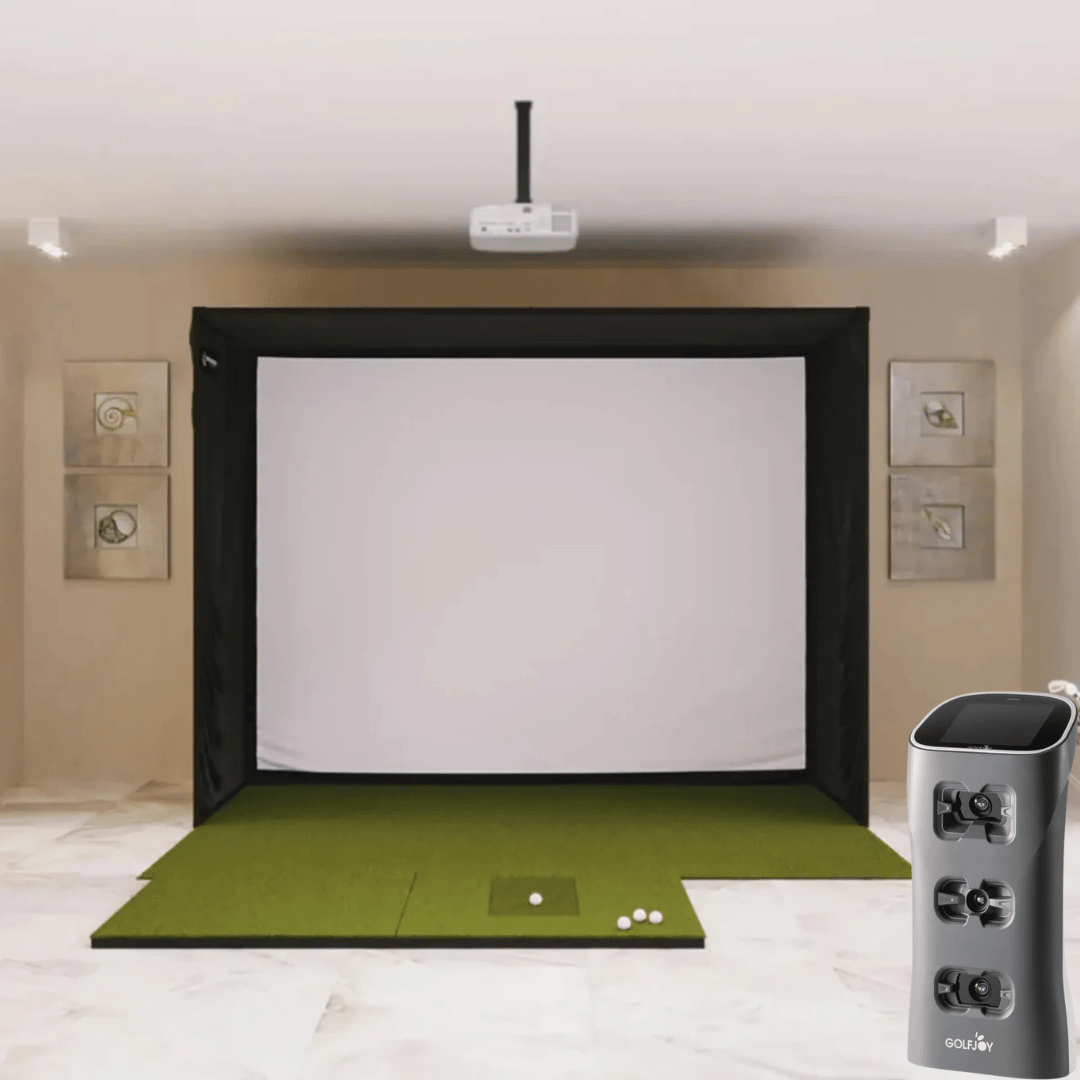
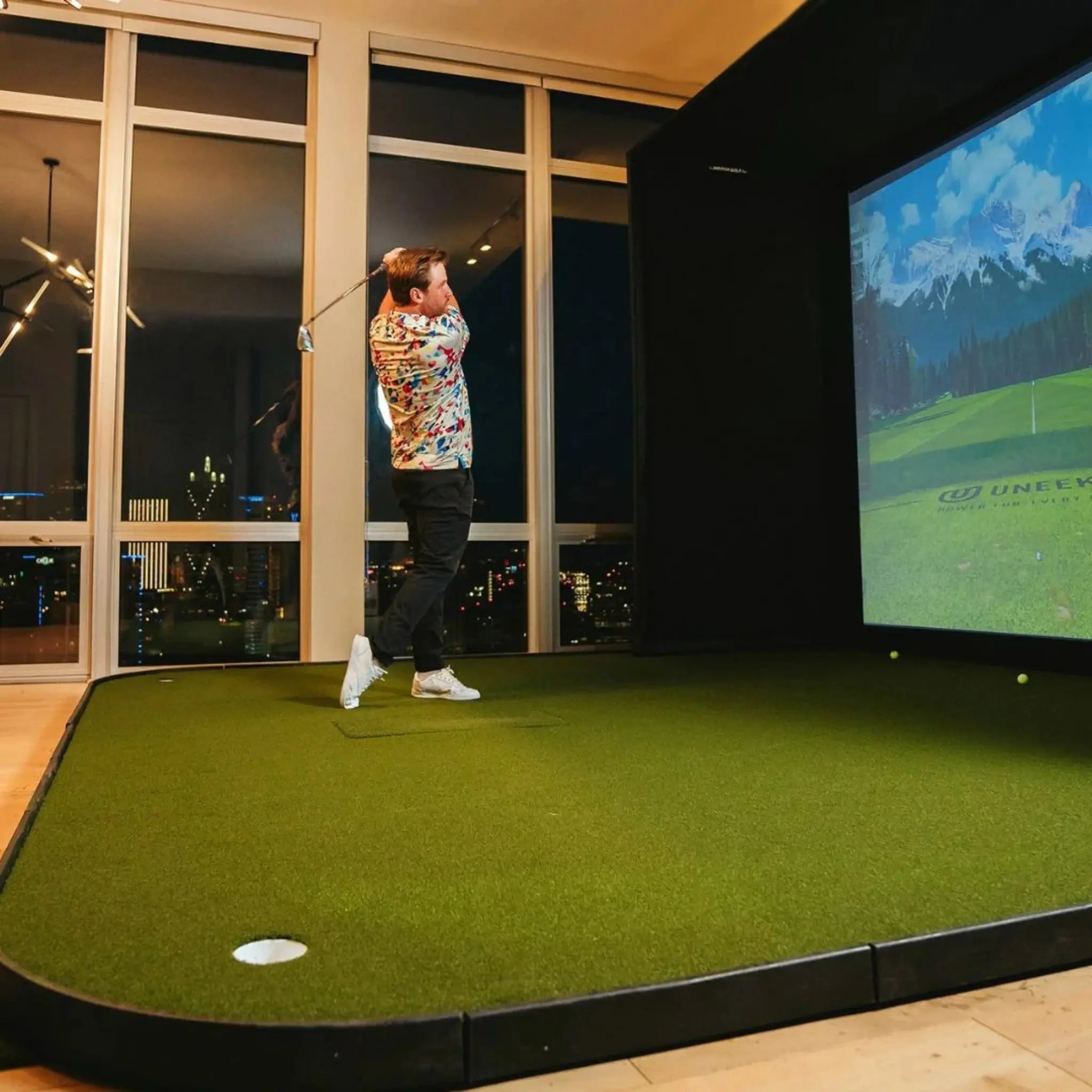
The GolfJoy Spica 3 Golf Simulator Bundle — SIG10 steps up from the SIG8 in screen size and image quality while keeping everything that makes the Spica 3 the most versatile monitor in this price range. The SIG10's 4:3 screen fills 100% of the projected image — no letterboxing, no black bars, edge-to-edge gameplay on a 12'7" diagonal. The Spica 3 brings 27 data points across ball, club, and trajectory with a triple-camera system and sub-0.3 second response, and connects natively to GSPro, E6 CONNECT, and Creative Golf without connector fees.
The SIG10's wider 10'10" frame also unlocks the 4' × 10' double-sided mat for left/right household setups at the mat level — and the Spica 3 handles handedness switching automatically regardless. Plus the same unit that powers your simulator also runs on a 6.5–7.5 hour battery with a carrying backpack — ready for the range whenever you are.
Select your mat and projector at checkout. Everything else is included.
Key Benefits
- ✔ 100% Image Fill — No Letterboxing
The SIG10's 4:3 aspect ratio matches standard projector output for a full-screen image with no black bars. Every inch of the 12'7" diagonal screen is active gameplay — a meaningful step up from the SIG8's 1:1 square screen. - ✔ Triple High-Speed Camera System — 27 Data Points
Three synchronized cameras with AI-driven processing deliver comprehensive ball, club, and trajectory data — including 16 full trajectory metrics most monitors don't track. - ✔ Fully Portable — Simulator at Home, Range Tool on the Road
At 6.6 lbs with a 6.5–7.5 hour battery, the Spica 3 goes anywhere. Use it in your SIG10, then take it to the range or outdoors without any additional equipment. - ✔ Works with Any Golf Ball
AI-powered recognition tracks any ball type — including plain white range balls — with no special markings required. - ✔ No Connector Fees for GSPro, E6 CONNECT, or Creative Golf
Native integration with all three simulators — no third-party connector purchase, no annual unlock fees. - ✔ 4' × 10' Double-Sided Mat Compatible
The SIG10's 10'10" width accommodates the full 4'×10' mat — the double-sided option with a center tee for left/right alternation at the mat level. - ✔ Built-In Touchscreen Display
View shot data instantly on the integrated LCD touchscreen — no phone or tablet required for basic operation. - ✔ Automatic Left/Right Detection
The Spica 3 detects handedness automatically — no manual adjustment when switching players. - ✔ Sub-0.3 Second Response Time
Near-zero latency means data appears virtually the moment your swing completes. - ✔ SIGPRO Premium Impact Screen — MyGolfSpy Independent Testing Winner
Three-layer tight-knit polyester rated for 250 MPH ball strikes. Superior durability, quieter operation, and reduced bounce-back versus leading competitors. - ✔ Color-Coded, DIY-Friendly Assembly
The SIG10 uses the same push-pin poles and color-coded connector system as the rest of the SIG Series — straightforward setup without professional help.
Who Is This For?
- ✅ Golfers with a standard garage or basement who want full-screen projection and portable triple-camera accuracy
- ✅ Those who want a home simulator and a range tool in one purchase — same unit, two environments
- ✅ Lefty/righty households who want automatic handedness detection and the option of a double-sided mat
- ✅ Range regulars who want real-time data during outdoor practice sessions
- ✅ GSPro, E6 CONNECT, or Creative Golf users who want native integration without connector fees
- ✅ Those upgrading from the SIG8 who want 100% image fill and a larger screen
- ✅ Budget-conscious builders who want 27-data-point accuracy without an overhead ceiling installation
What's in This Bundle
| Component | Details |
|---|---|
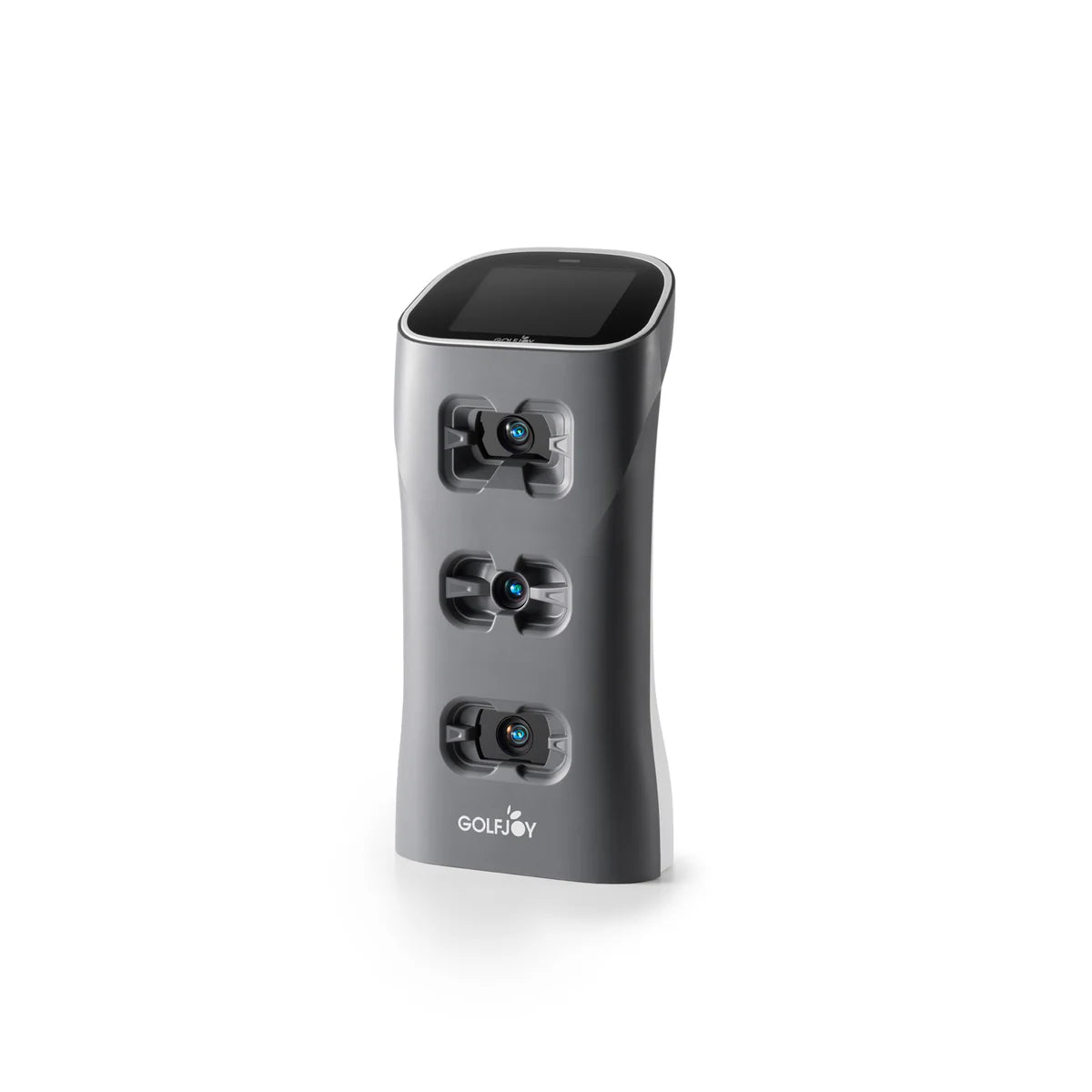
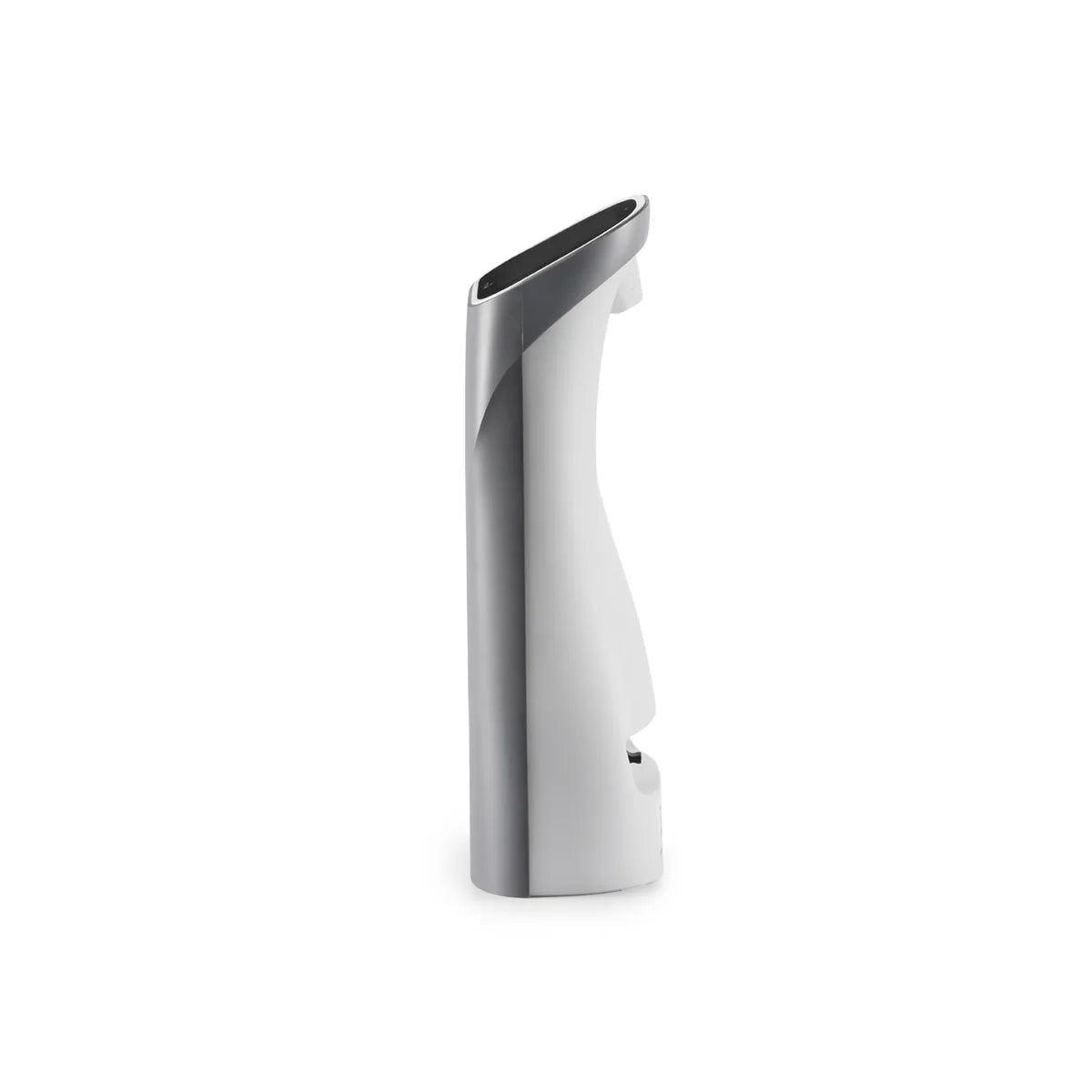
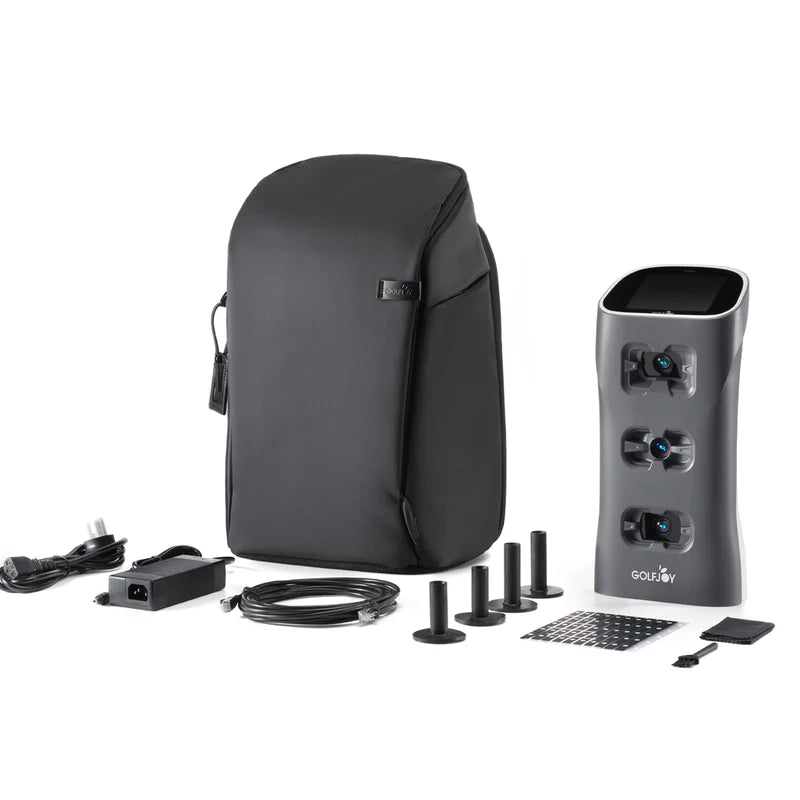
| GolfJoy Spica 3 Launch Monitor | Triple high-speed cameras · 27 data points · Built-in touchscreen · 6.5–7.5 hr battery · Wi-Fi, Bluetooth, Ethernet, NFC |
| Power Adapter & Cable | For charging and wired operation |
| Ethernet Cable | For wired simulator connection |
| Clubhead Stickers | Required for club data capture (included). Ball data works without stickers. |
| Rubber Tee | For outdoor or mat use |
| Carrying Backpack | For portable range and outdoor use |
| Cleaning Cloth & Brush | For lens and camera maintenance |
| 3-Month GolfJoy PC Software Trial | Full access to GolfJoy 4K simulation software for 3 months |
| Lifetime GolfJoy Mobile App Access | GolfJoy PRO and GolfJoy Space — iOS & Android |
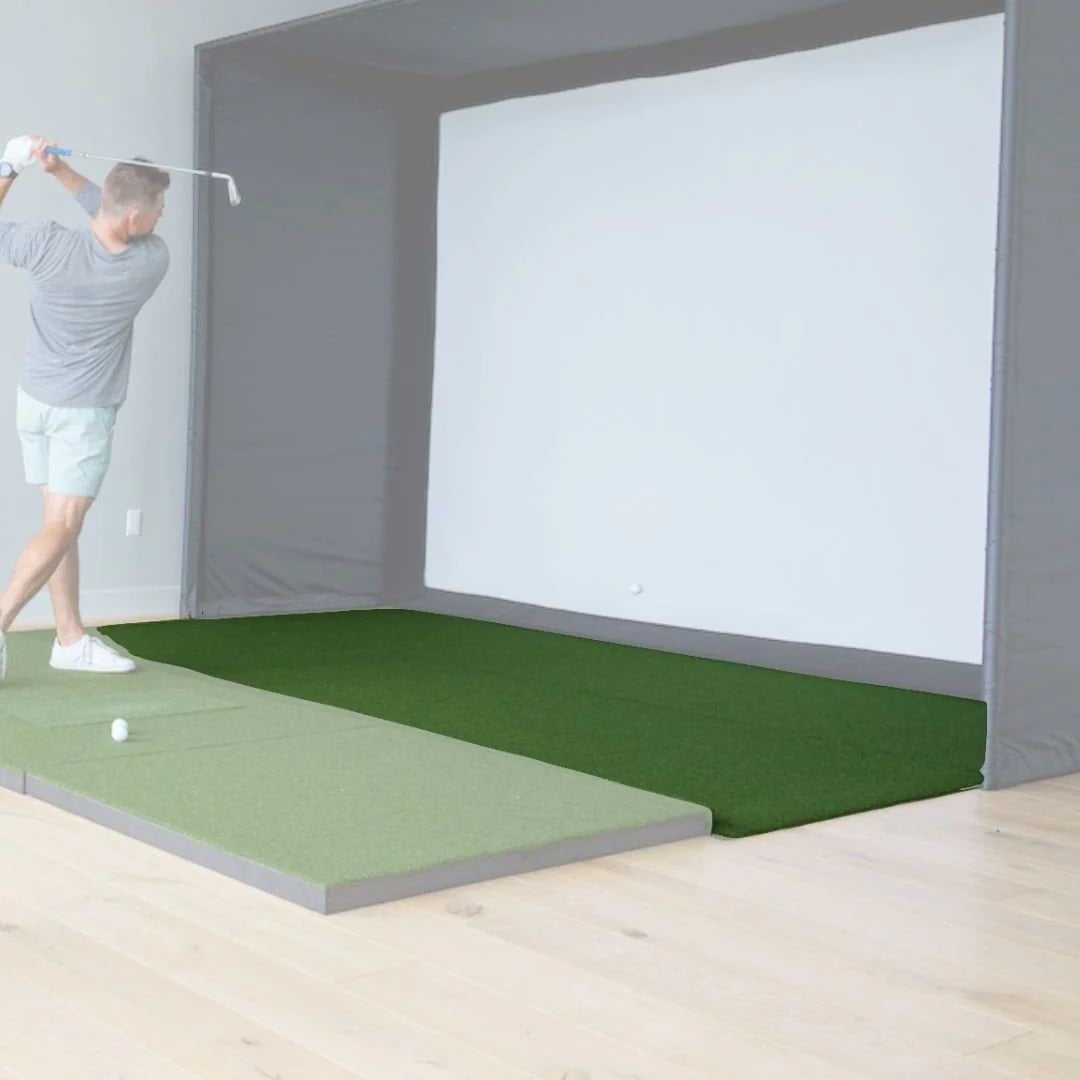
| SIG10 Studio Enclosure | Powder-coated steel frame · Color-coded push-pin assembly · 10'10" × 8'4" × 5' |
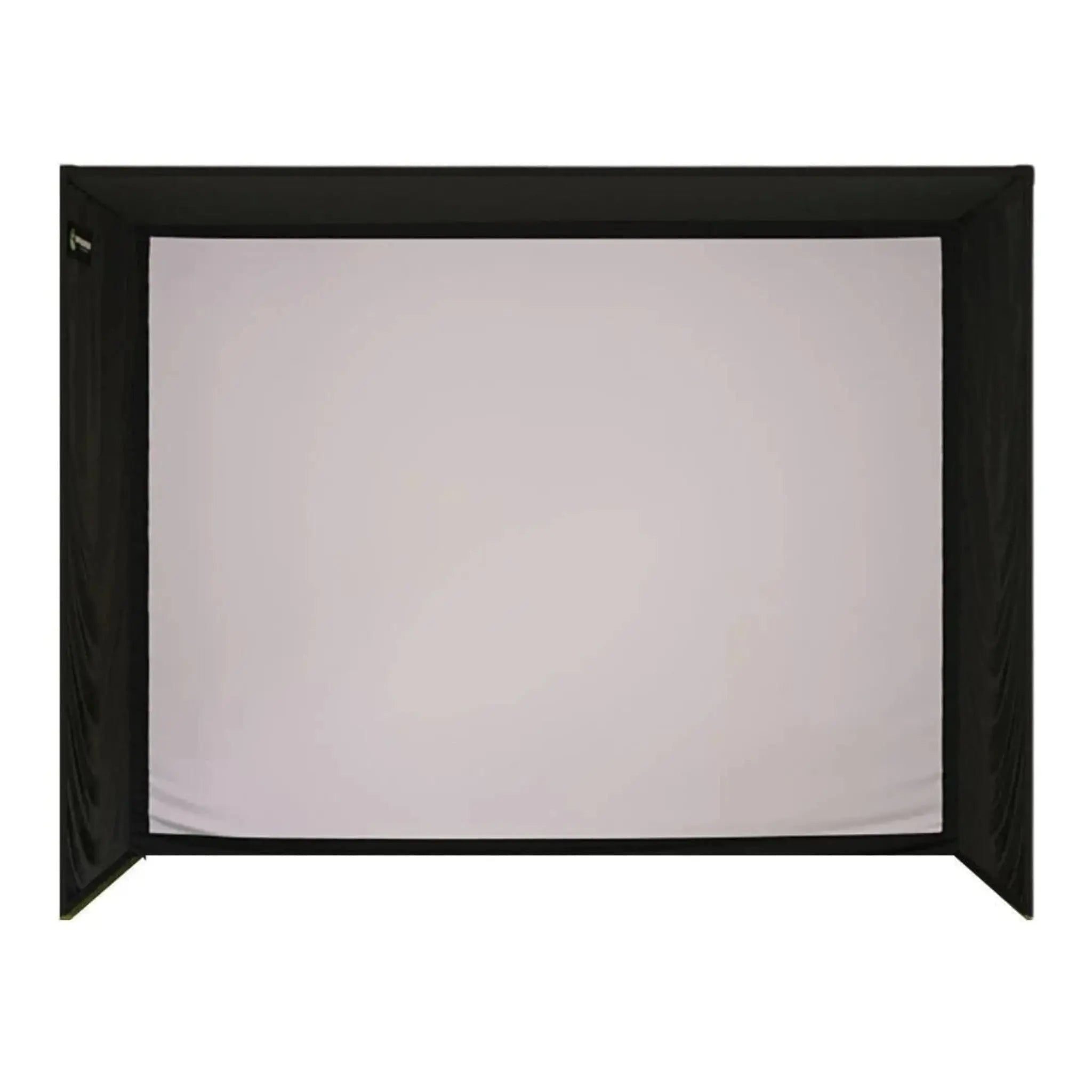
| SIGPRO Premium Impact Screen | 10'1" × 7'7" (12'7" diagonal) · 4:3 aspect ratio · 100% image fill · MyGolfSpy-tested · 250 MPH rated · Double-stitched with grommets |
| SIG Surround | Vinyl wrap for a clean, finished look |
| Side Barrier Netting | Catches errant shots on both sides |
| Landing Pad Turf | Fills gap between screen and mat; protects floor |
| Foam Padding | Protective padding on all sides of screen |
| 6" Ball Bungees | For mounting screen and surround |
| Choice of Hitting Mat | Select from mat options at checkout (see below) |
| Optional Projector | Choose from HD or 4K options at checkout, or select "No Projector" to use your own |
| Assembly Manual + Video Access | Step-by-step guides for both components |
Hitting Mat Options
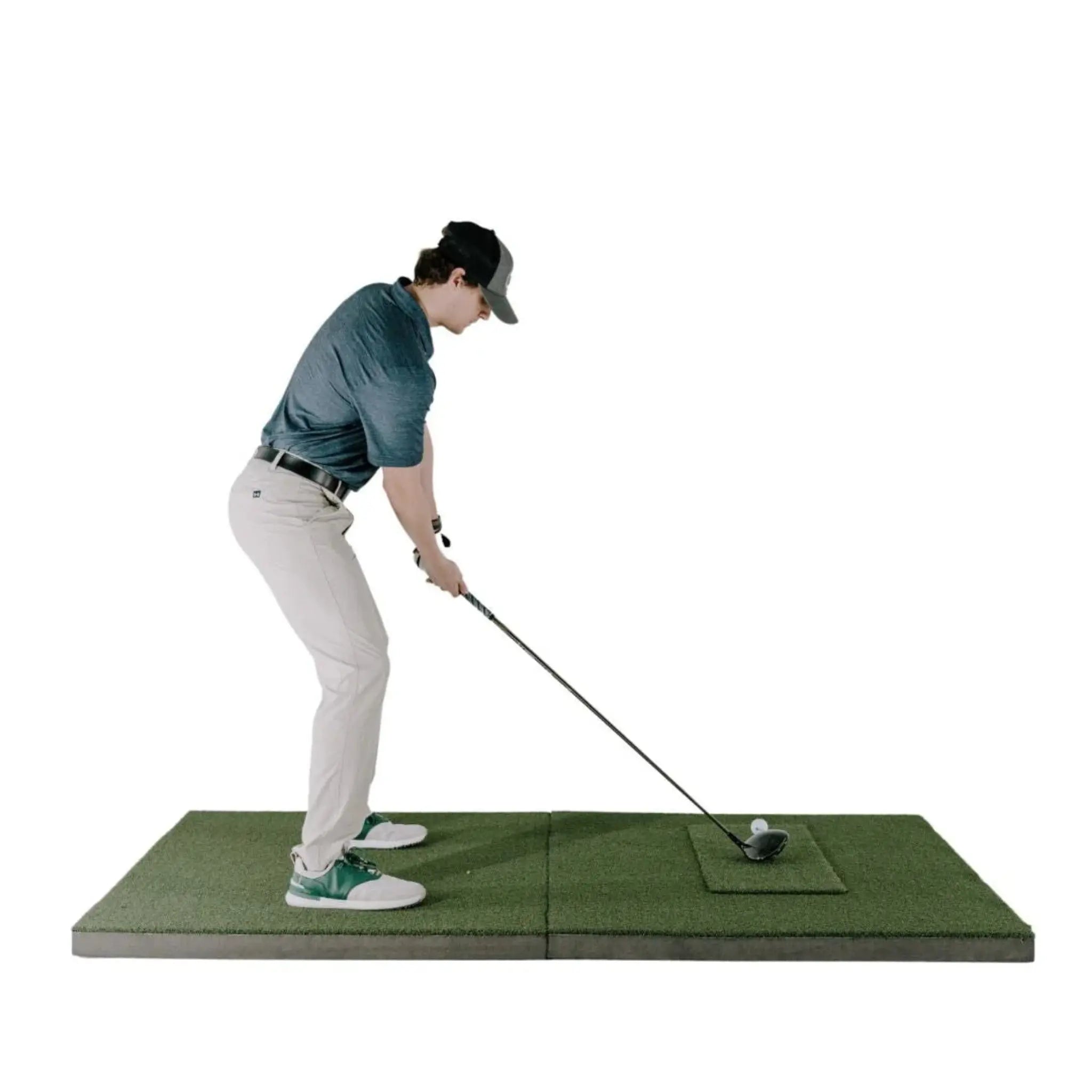
Select your hitting surface at checkout. The Spica 3 sits on the floor beside the golfer — mat selection affects both feel and unit placement. The SIG10's wider footprint also unlocks the 4'×10' double-sided mat, not available with the SIG8.
| Mat Option | Size | Best For |
|---|---|---|
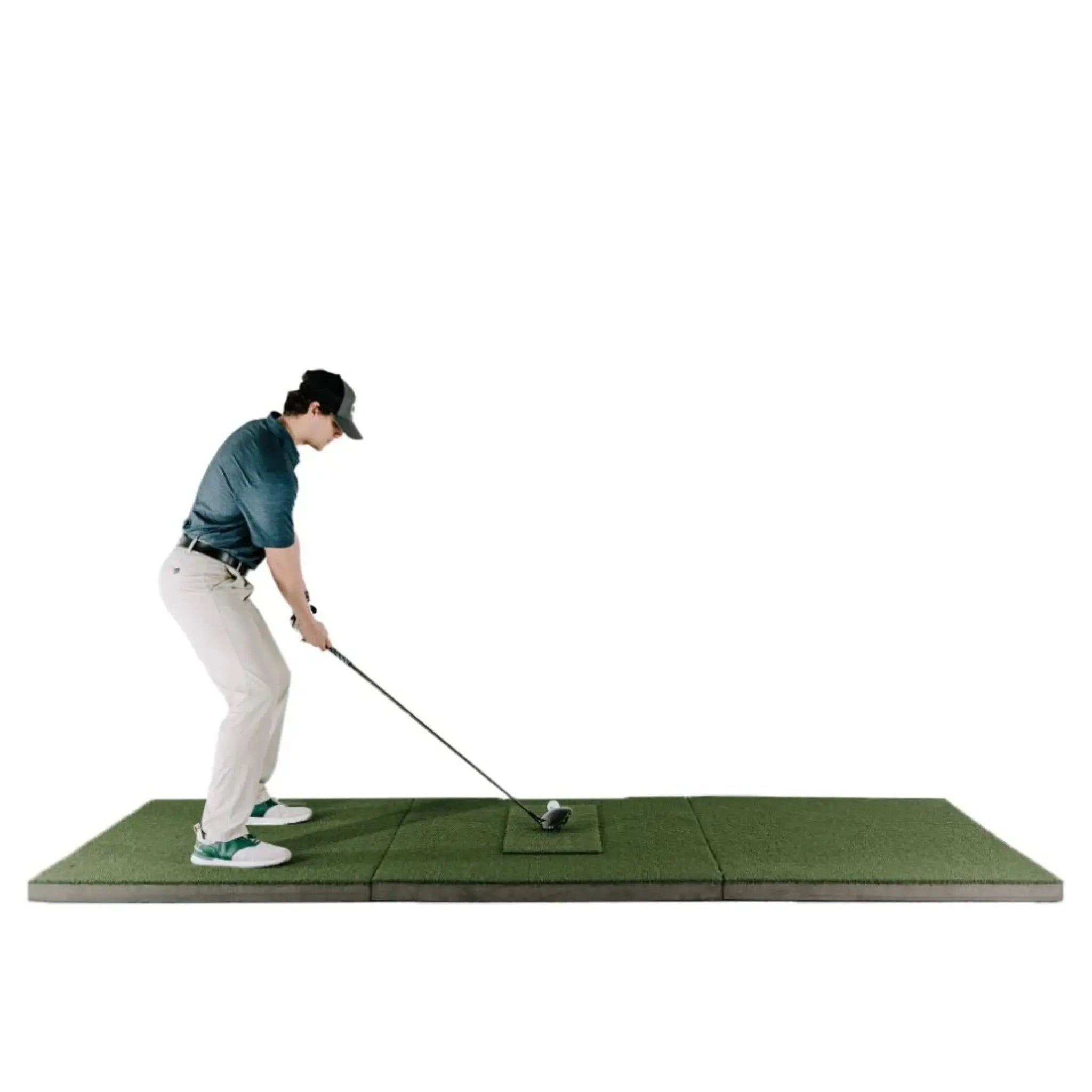
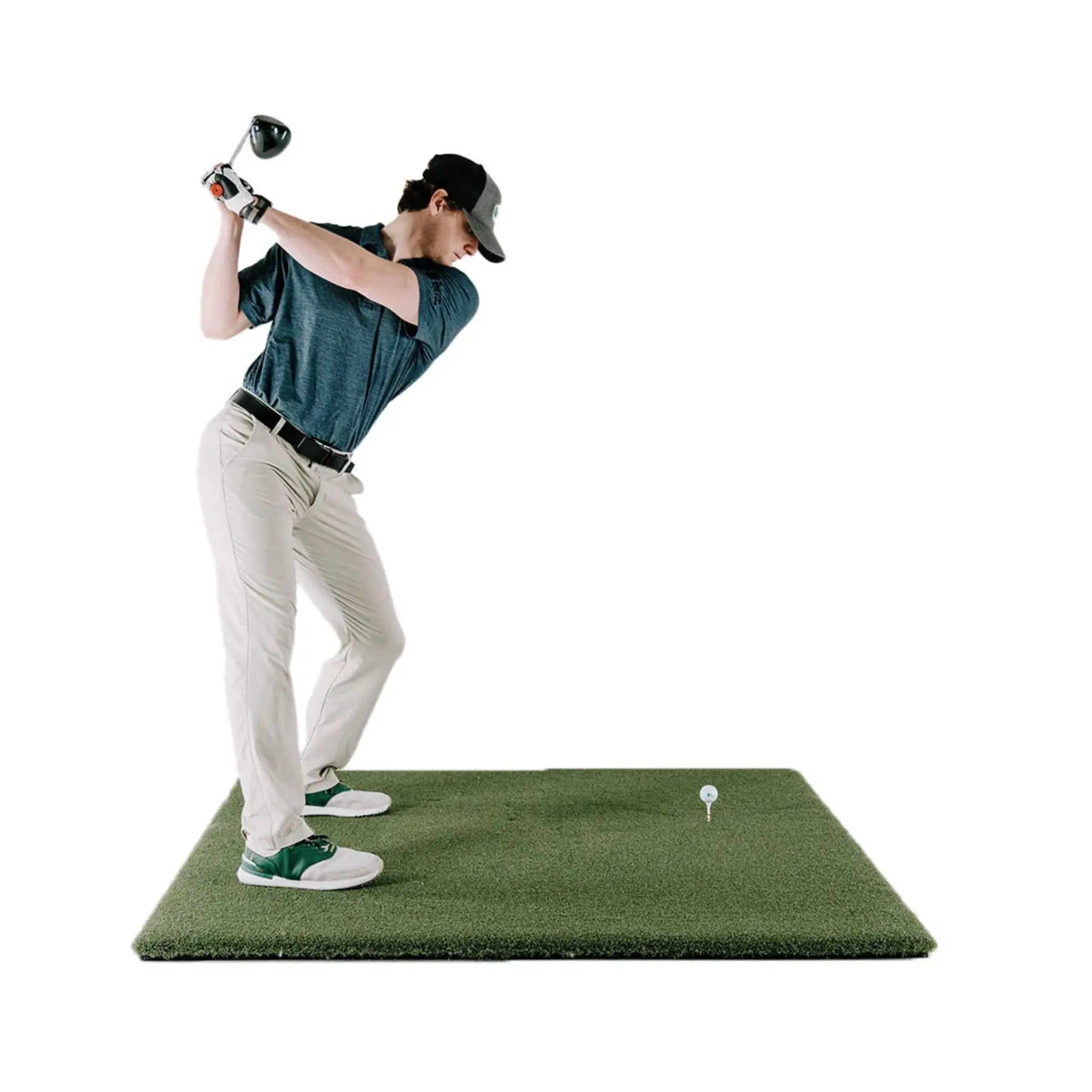
| Fairway Series | 5' × 5' | Realistic turf feel, accepts real tees. Position the Spica 3 beside the mat edge alongside your hitting position. |
| SIGPRO Softy | 4' × 7' | Recommended for floor-mounted monitors. Larger footprint keeps the unit stable and level alongside the hitting area. Soft foam backing is easy on joints. |
| SIGPRO Softy | 4' × 10' | Double-sided with center tee — one side for right-handed, one for left-handed play. Compatible with the SIG10; not available for the SIG8. The Spica 3 detects handedness automatically when the mat is flipped. |
| Simulator Flooring | Integrated | Premium DIY look with integrated hitting strip and putting green (4 cup positions). Best for golfers who want short game practice alongside full swing simulation. |
Projector Options
A projector is not required to use the Spica 3 — the built-in touchscreen displays shot data independently. For the full simulator experience on the SIG10's 12'7" diagonal screen, a short-throw projector is strongly recommended.
The SIG10 screen has a 4:3 aspect ratio, producing 100% image fill with a standard projector — no letterboxing, no wasted screen area.
| Model | Resolution | Type | Notes |
|---|---|---|---|
| TH671ST | 1080p Full HD | Short Throw | Entry-level HD option. Great value for a dedicated indoor simulator space. |
| AH30ST | 1080p Full HD | Short Throw | HD short throw with higher brightness. Strong all-around performer. |
| TK710STi | 4K UHD | Short Throw | Step-up to 4K. Noticeably sharper on the SIG10's 12'7" diagonal screen. |
| AH700ST | 4K UHD | Short Throw | 4K short throw with high lumen output. Handles ambient light well. |
| LK830ST | 4K UHD | 4K Short Throw | 4K with strong brightness — excellent for mixed-light rooms. |
| AK700ST | 4K UHD | 4K Short Throw | High-lumen 4K short throw. Ideal balance of brightness and image quality for the SIG10 screen size. |
| LK936ST | 4K UHD | 4K Laser Short Throw | Top-tier laser projection. Exceptional brightness, longevity, and color accuracy. |
| No Projector | — | — | Use your own projector. Ensure it is short-throw compatible with your room depth. |
GolfJoy Spica 3 — What's Measured
| Category | Data Points |
|---|---|
| Ball Data (7) | Ball Speed · Launch Angle · Back Spin · Side Spin · Spin Rate · Spin Axis · Launch Direction |
| Club Data (4) | Club Speed · Club Path · Smash Factor · Attack Angle Note: Club stickers (included) required for club data capture |
| Trajectory Data (16) | Apex · Total Distance · Carry Distance · Roll Distance · Carry % · Roll % · Landing Angle · Hang Time · Curve · Curve Carry · Side Carry · Deviation · Deviation Angle · Center Line · Gap · Target Line Carry |
Technical Specifications
GolfJoy Spica 3 Launch Monitor
| Spec | Detail |
|---|---|
| Cameras | 3 synchronized high-speed cameras with dual LED lighting |
| Data Points | 27 total (ball, club, trajectory) |
| Response Time | < 0.3 seconds after impact |
| Hitting Zone | 250mm × 250mm (approx. 10" × 10") |
| Ball Type | Any standard golf ball — no special markings required |
| Club Stickers | Required for club data · Included in box |
| Handedness | Automatic left/right detection — no manual setup |
| Mounting Style | Floor-mounted · Built-in kickstand · Portable |
| Dimensions | 163mm W × 99mm H × 340mm D (6.4" × 3.9" × 13.4") |
| Weight | 3.0 kg / 6.61 lbs |
| Battery | 12,800 mAh integrated lithium-ion |
| Battery Life | 6.5–7.5 hours continuous use |
| Charge Time | ~4 hours |
| Display | Built-in LCD touchscreen |
| Connectivity | Wi-Fi · Bluetooth · Ethernet · NFC |
| Sensors | 9-axis gyroscope, GPS, barometer, temperature |
| Material | PC shell + TPU |
SIG10 Golf Simulator Studio Enclosure
| Spec | Detail |
|---|---|
| Enclosure Width | 10'10" (130") |
| Enclosure Height | 8'4" (100") |
| Enclosure Depth | 5' (60") |
| Screen Width | 10'1" (121") |
| Screen Height | 7'7" (91") |
| Screen Diagonal | 12'7" (151") |
| Aspect Ratio | 4:3 |
| Image Fill | 100% — full-screen projection, no letterboxing |
| Screen Material | Three-layer tight-knit polyester (SIGPRO Premium) |
| Impact Rating | 250 MPH |
| Frame Material | Powder-coated steel |
| Assembly | Color-coded push-pin poles and connectors |
| 4' × 10' Mat Compatible | Yes |
Software & Simulator Compatibility
Included with Spica 3:
- 3-Month GolfJoy PC Software Trial — Full access to GolfJoy 4K simulation software
- Lifetime GolfJoy Mobile App Access — GolfJoy PRO and GolfJoy Space (iOS & Android)
Third-Party Simulator Compatibility (No Connector Fee):
- GSPro — Native integration
- E6 CONNECT — Native integration
- Creative Golf — Native integration
Third-party software requires its own separate license. No additional connector fees from GolfJoy.
What's Included
- GolfJoy Spica 3 Launch Monitor
- Power Adapter & Cable
- Ethernet Cable
- Clubhead Stickers (for club data)
- Rubber Tee
- Carrying Backpack
- Cleaning Cloth & Brush
- 3-Month GolfJoy PC Software Trial
- Lifetime GolfJoy Mobile App Access (iOS & Android)
- SIG10 Enclosure Frame — Powder-coated steel with color-coded push-pin assembly
- SIGPRO Premium Impact Screen — 10'1" × 7'7", MyGolfSpy-tested, double-stitched with grommets
- SIG Surround — Vinyl wrap for finished appearance
- 6" Ball Bungees — Screen and surround mounting
- Landing Pad Turf — Floor protection between screen and mat
- Protective Foam Padding — All sides of frame
- Side Barrier Netting
- Push-Pin Poles & Connectors (color-coded)
- Choice of Hitting Mat (Fairway 5'×5', SIGPRO Softy 4'×7', SIGPRO Softy 4'×10', or Simulator Flooring)
- Optional Projector (if selected at checkout)
- Assembly Manual & Video Access
What's NOT Included
- Projector (unless selected at checkout)
- Projector mount and cables
- Computer / PC for simulator software
- Simulator software — GSPro ($250/yr), E6 CONNECT, etc. sold separately
Space & Setup Requirements
| Requirement | Detail |
|---|---|
| Minimum Room Width | 11' (enclosure is 10'10" wide) |
| Minimum Ceiling Height | 9' — required for comfortable full swing in the SIG10 (8'4" tall frame). The Spica 3 requires a minimum of 9' indoor ceiling height. |
| Recommended Ceiling Height | 9'–10' for comfortable full swing clearance |
| Minimum Distance to Screen | 2 yards (approx. 6 feet) from hitting position to screen |
| Room Depth Required | 5' for enclosure + hitting mat + swing clearance (typically 12–15' total room depth recommended) |
| Spica 3 Placement | Unit sits on the floor to the side of the hitting position, parallel to the target line. The SIG10's wider bay provides comfortable clearance on either side. |
| Clearance Behind Screen | Leave at least 6–12" behind the impact screen for ball flex — do not mount flush to a wall |
| Spica 3 Setup Time | Under 5 minutes — place unit, power on, align, connect, start hitting |
| SIG10 Assembly Time | Approximately 1–2 hours with two people |
Setup & Assembly
Spica 3 Setup (Under 5 Minutes):
- Place the Spica 3 on the floor beside your hitting position, parallel to your target line
- Deploy the built-in kickstand and power on (hold button 1 second)
- Align using a club shaft or mat edge as a reference
- Connect via touchscreen, NFC tap, or app pairing
- Apply clubhead stickers if capturing club data
- Start hitting — data appears in under 0.3 seconds
SIG10 Enclosure Assembly (Approx. 1–2 Hours with Two People):
- Assemble frame using color-coded poles and push-pin connectors
- Attach vinyl SIG Surround to frame
- Mount SIGPRO Premium screen using included ball bungees
- Install protective foam padding on all sides
- Attach side barrier netting
- Position landing pad turf and hitting mat
Tools Required: Basic hand tools; step stool recommended for enclosure. No tools required for Spica 3 setup.
SIG8 vs. SIG10 vs. SIG12 — Which Enclosure Is Right for You?
| Specification | SIG8 | SIG10 | SIG12 |
|---|---|---|---|
| Enclosure Width | 8'4" | 10'10" | 12'2" |
| Enclosure Height | 8'4" | 8'4" | 9'4" |
| Screen Diagonal | 10'8" | 12'7" | 14'3" |
| Aspect Ratio | 1:1 | 4:3 | 4:3 |
| Image Fill | ~80% | 100% | 100% |
| Min Ceiling Height | 9' | 9' | 10' |
| 4'×10' Mat Compatible | No | Yes | Yes |
Choose SIG8 if space is your primary constraint — fits rooms as narrow as 9' wide.
Choose this SIG10 bundle if you have a standard garage or basement (11'+ wide, 9'+ ceiling) and want 100% full-screen fill and the 4'×10' mat option.
Choose SIG12 if you have 13'+ room width and 10'+ ceilings and want the largest screen and tallest frame in the SIG Series.
Shipping & Returns
Shipping: Ships in 7–10 business days. Free shipping within the contiguous United States.
Returns: 30-day hassle-free return policy. Customer responsible for return shipping costs. A 15% restocking fee applies.
Frequently Asked Questions
Do I need special golf balls?
No. The Spica 3's AI-powered recognition works with any golf ball, including plain white range balls. No special markings required.
Are club stickers required?
Clubhead stickers are required to capture club data (club speed, path, attack angle, smash factor) and are included in the box. The remaining 23 data points — all ball and trajectory metrics — work without stickers.
Does the Spica 3 work with GSPro?
Yes. The Spica 3 connects natively to GSPro, E6 CONNECT, and Creative Golf with no additional connector purchase required.
Does the SIG10 produce full-screen projection?
Yes. The SIG10's 4:3 aspect ratio fills 100% of the projected image — no letterboxing, no black bars. This is a key upgrade over the SIG8's 1:1 screen.
Can I use the Spica 3 outdoors or at the range?
Yes. The Spica 3 has a dedicated outdoor mode, a 6.5–7.5 hour battery, and a carrying backpack. The same unit that powers your simulator is range-ready whenever you want to take it out.
Does it support left-handed golfers?
Yes. Handedness is detected automatically — no manual adjustment when switching players.
Where does the Spica 3 sit inside the enclosure?
The unit sits on the floor to the side of the hitting position, parallel to the target line. The SIG10's wider bay provides comfortable room for the unit alongside any mat option.
Does the bundle include a projector?
A projector is optional — select your preferred model at checkout, or choose "No Projector." The Spica 3 displays data on its built-in touchscreen regardless of projector selection.
Is there a subscription fee?
No mandatory subscription. You receive a 3-month GolfJoy PC software trial and lifetime access to GolfJoy mobile apps. Third-party software (GSPro, E6, etc.) may have separate licensing costs.
What's the warranty on the Spica 3?
The GolfJoy Spica 3 includes a manufacturer warranty. Contact Golf Sim Depot at (770) 766-5571 for full warranty details. The SIG10 Studio is covered under The Indoor Golf Shop's standard warranty.
Choose options
Common questions
Let customers speak for us
I’ve tested multiple overhead launch monitors looking for the best mix of accuracy, reliability, and price. Nothing has come close to the ProTee. It simply works every time. The tracking is fast, consistent, and doesn’t require constant tweaking or recalibration like others I’ve owned. The software is a standout too: intuitive, polished, and far more advanced than I expected at this price point.
For anyone building a home simulator and wanting overhead performance without spending 20k, this is the new standard. ProTee absolutely nailed it.

Have had the ProTeeVX set up for a little over a week and it's been amazing so far. Wasn't totally clear on the dimension requirements and Golf Sim Depot was super helpful through their chat feature and answered all my questions. Bundling this, the protective cover, GSPro AND getting two free swing cams is an incredible deal for a top quality product.
The best company to work with Kyle is very responsive and very easy to work with!!
I had questions about the Protee VX so I called Golf Sim Depot. Kyle answered the phone right away and answered all my questions. I am working on revamping my simulator so he also spent some time talking to me about it and some of the choices I have for the revamp. I bought the Protee VX from Golf Sim Depot and couldn't be happier.
Great company with quick delivery, prompt answers to my questions! Will highly recommend them!
I've been a business owner since I was 12 years old; customer service is the blood that flows for the success of any business. Kyle and his team at Golf Sim Depot have met those standards, from choosing the right sim for my space to following through when an issue arose with my screen. Thank you, Kyle; you have a customer for life.

ProTee vx is the new king of indoor launch monitors. If you want to know every detail of your golf swing then this is the one to purchase..
Couldn't be happier with the ProTee vx.
It is my second Softy. It is worth my health. I am 65. I have hit my share of fat shots. No one had any issue with smacking the club. The last straw was my friend hitting the raised back edge. The first is a little warn in the center - still usable but needs repair gluing the corners and edges after forcing it into a cut out in my mat. This new one fits like a well fitted golf glove. I could not be happier with the product. Regarding Golf Sim Depot: I have had several great experiences with Kylie upgrading from Skytrak to Uneekor EML and then Uneekor's Optix package. This Softy was derived quickly like all the other purchases.

Kyle knows sims. He worked with me and gave me insights that really helped me move my business in the right direction. My launch monitors arrived in less than a week, would highly recommend doing business with Golf Sim Depot.
Needed garmin r50 by certain date. Kyle made it happen even with holiday weekend. Would recommend to anyone looking to purchase.

I received my unit very quickly. Golf sim depot was very flexible and easy to deal with.
They will be the first place I go for any additional needs.
Respond well and fast to questions.

Great customer service. Worked with us very well.

Outstanding customer service and communication. Bought most of my setup here and they got everything to me on time or ahead of schedule.

These guys are great! Called on a Saturday and he went straight to UPS so I had the product on Monday. Very good pricing too. Highly recommend!