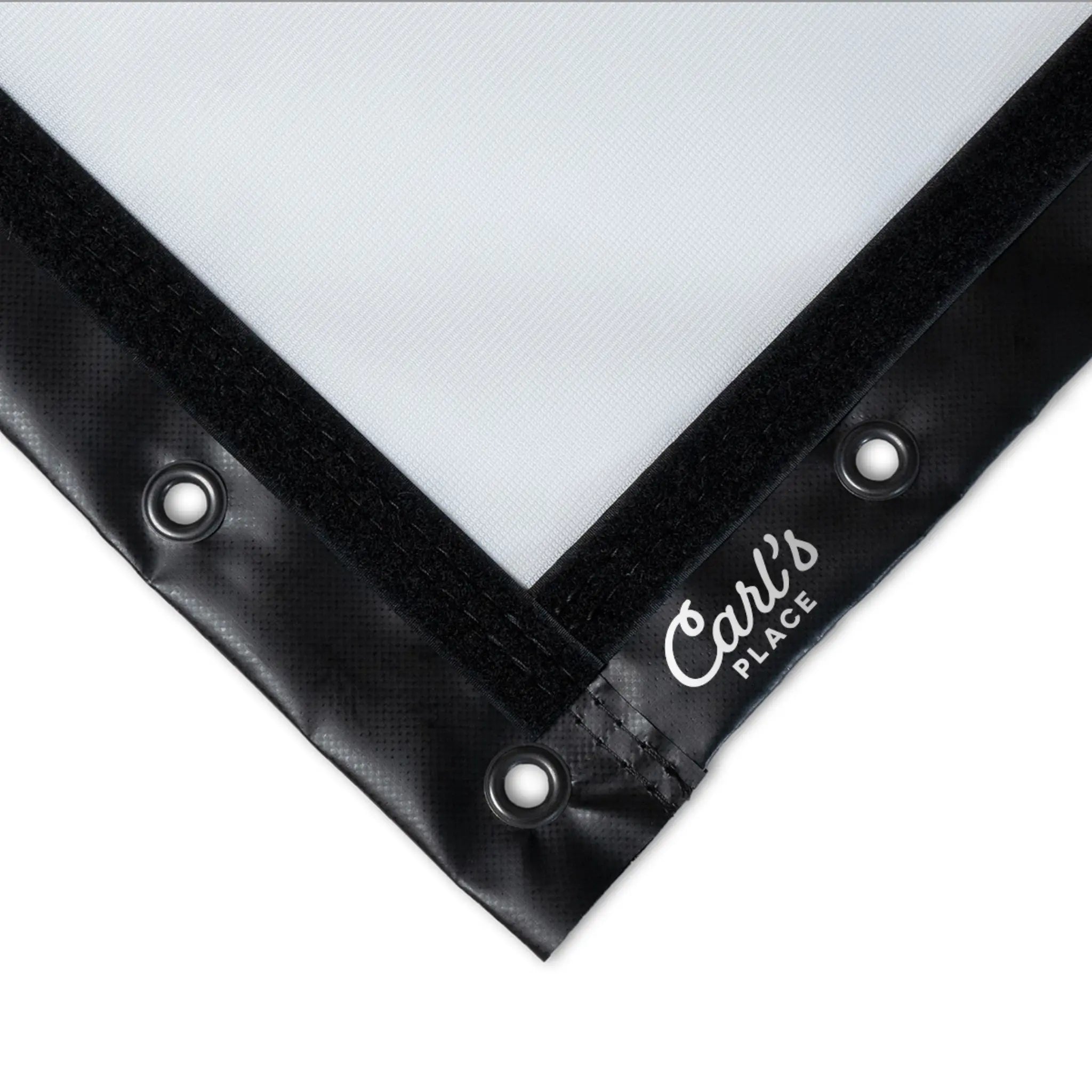


The Best Value Impact Screen for Home Simulators and Light Commercial Use.
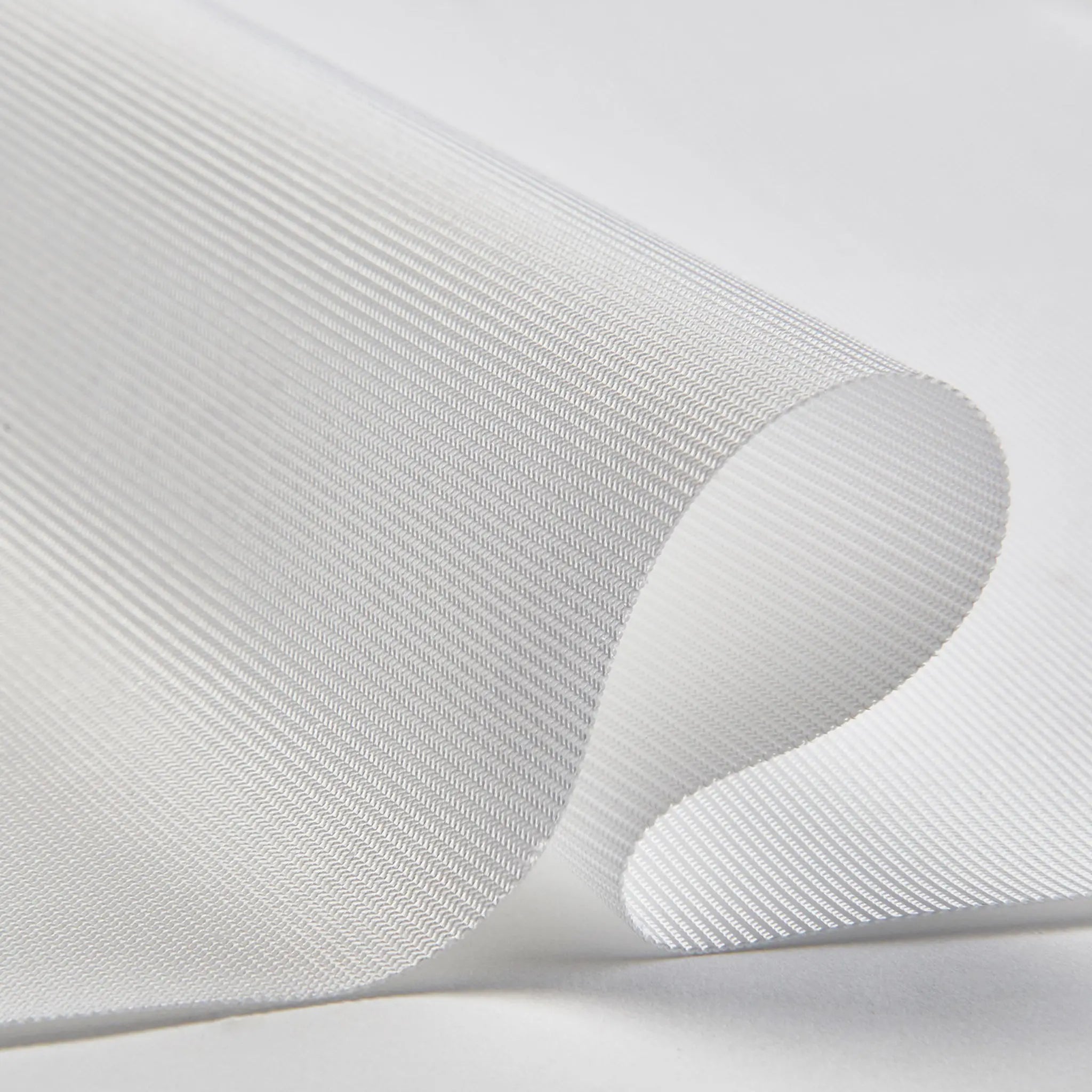
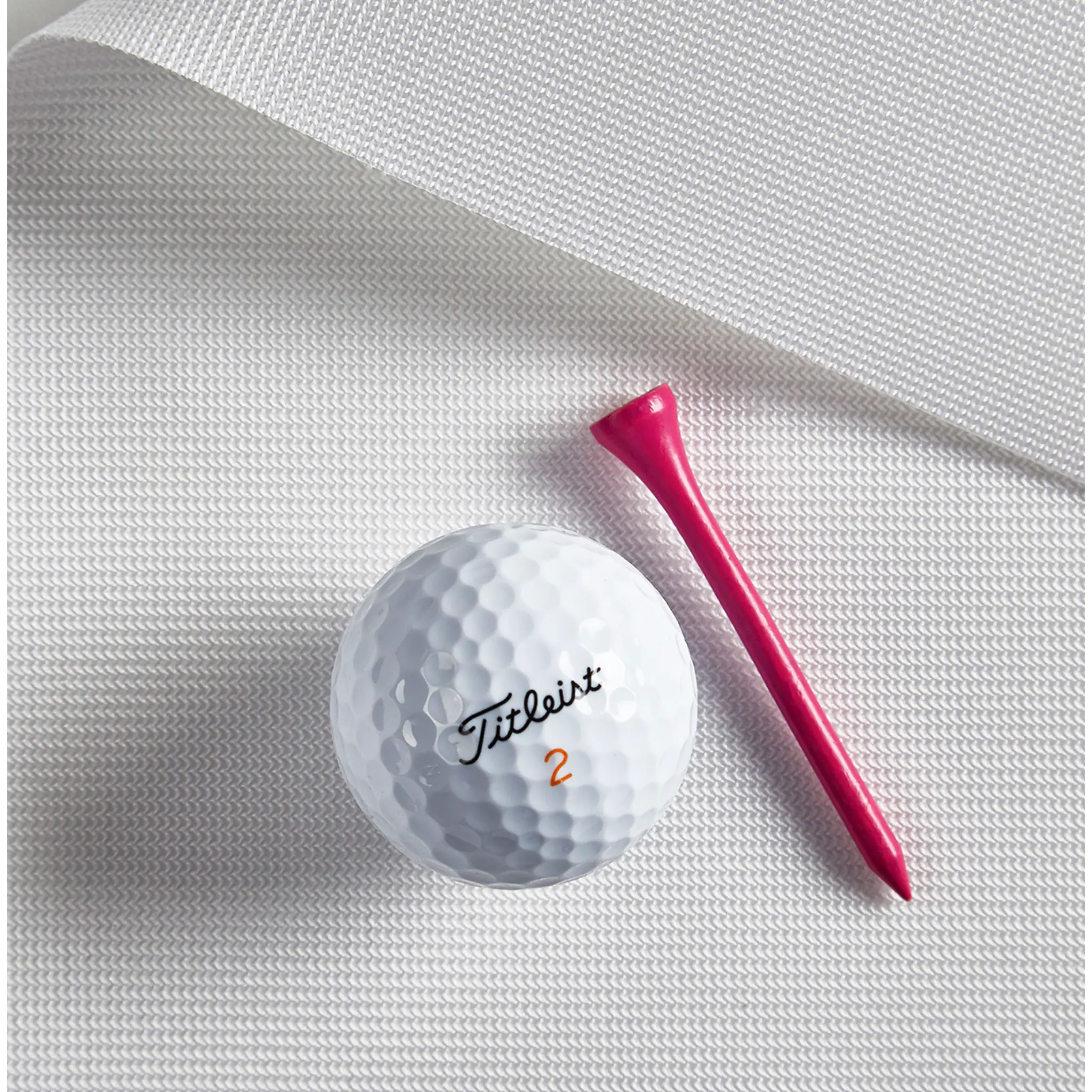
The Carl's Place Preferred Golf Impact Screen delivers the sweet spot between performance and price. Constructed from 100% heavy-duty polyester with silicone reinforcement, it features tightly woven fibers that provide excellent durability and a smooth HD picture — without the premium price tag.
Tested to withstand direct hits from golf balls traveling up to 250 MPH, this screen handles serious swing speeds while delivering clear, sharp visuals for your projector. It's smoother than the entry-level Standard screen, making it the go-to choice for home simulator builders who want quality image projection at an affordable price point.
Available in 30+ standard sizes across four aspect ratios (4:3, 16:9, 16:10, and 1:1), plus custom sizing to fit any space.
Key Benefits
✔ Tightly Woven for Better HD Picture
The Preferred screen's tight weave creates a smoother surface than the Standard screen, reducing texture and delivering cleaner, sharper projected images for HD projectors.
✔ Heavy-Duty Polyester with Silicone Reinforcement
100% heavy-duty polyester construction with silicone reinforcement provides durability and longevity for regular home use and light commercial applications.
✔ Tested to 250 MPH Ball Speeds
Rigorously tested to withstand thousands of golf ball strikes at speeds up to 250 mph. Built for golfers who swing hard.
✔ Best Value for Home & Light Commercial
Higher quality than Standard, more affordable than Premium. The Preferred screen hits the performance-to-price ratio that most home simulator builders are looking for.
✔ Reduced Sound & Minimal Bounceback
The tight weave absorbs impact energy, reducing noise and limiting ball rebound for safer, quieter practice sessions.
✔ Made to Order with Three Finishing Options
Every screen is sewn in-house by Carl's Place and finished to your specifications. Choose Classic, Classic with Flaps, or Classic with Loop Fastener depending on your mounting setup.
✔ Works with HD Projectors
Front-projection compatible with HD projectors. The matte white surface provides good brightness and color accuracy for realistic simulation.
✔ Indoor Use Only
Designed and optimized for controlled indoor environments — garages, basements, dedicated sim rooms, and light commercial bays.
Who Is This For?
✅ Home simulator builders who want quality without overpaying
✅ Golfers upgrading from the Standard screen who notice texture or image softness
✅ Light commercial facilities (teaching bays, small golf lounges)
✅ DIY builders pairing a standalone screen with their own frame or enclosure
✅ Anyone using an HD projector who wants a clear, realistic picture
✅ Budget-conscious buyers who still want durability and performance
How It Compares
Standard vs. Preferred vs. Premium — Which Screen?
- Standard: Entry-level, budget-friendly. Loosely woven, open weave. Good for beginners or tight budgets. Visible texture in projection.
- Preferred: Mid-tier, best value. Tightly woven for smoother surface and better HD picture. Ideal for most home simulators and light commercial use.
- Premium: Top tier, commercial-grade. Three-layer construction with the smoothest surface available. Best image quality for 4K projection and high-end builds.
If you're building a dedicated sim room with an HD projector and want solid image quality without spending for Premium, Preferred is the right choice.
Finishing Styles Explained
Classic
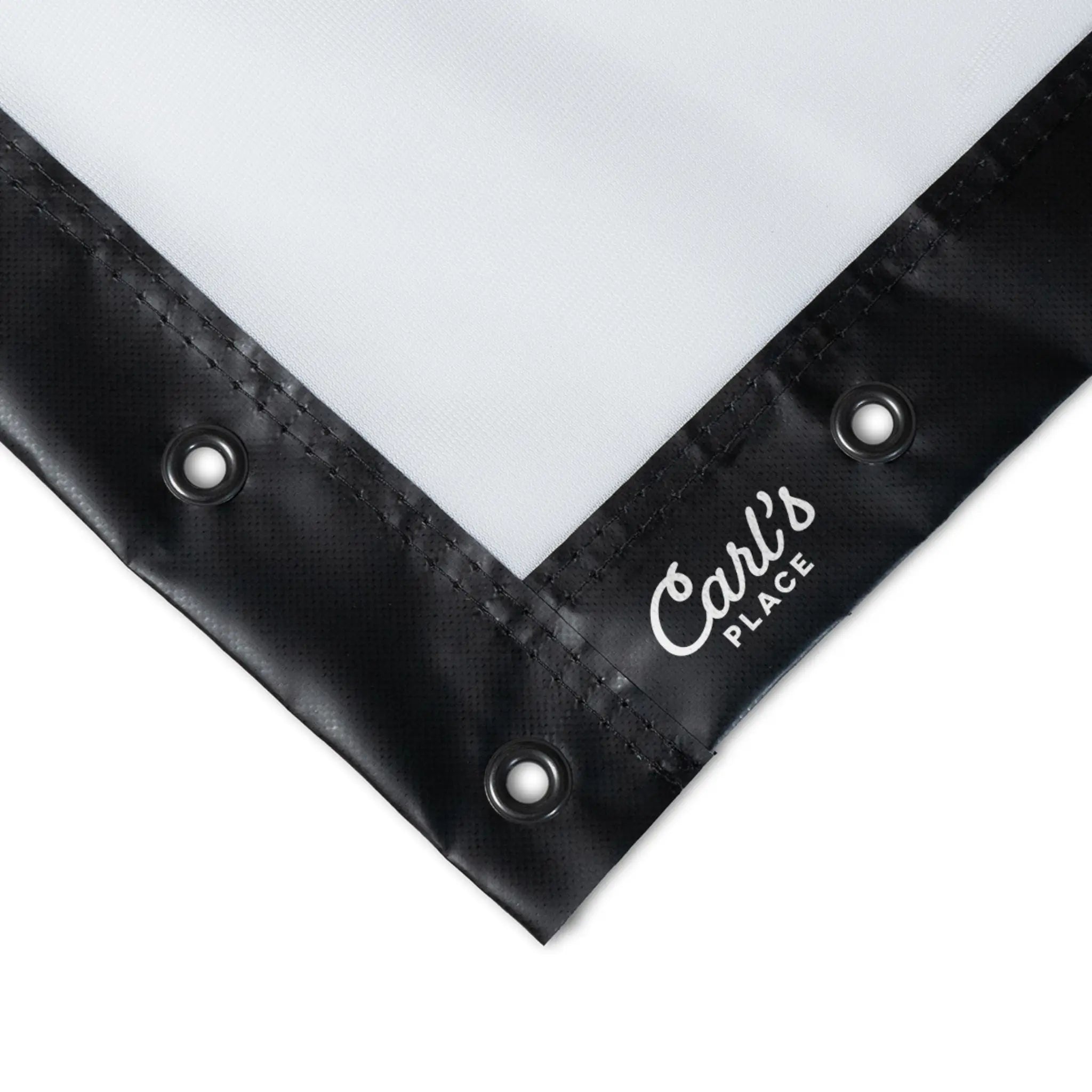
The standard finishing. 2.5" black vinyl edges with grommets all the way around. Grommets are 3/4" outer diameter, 3/8" inner diameter with a smooth, rounded appearance. Mount using ball bungees or zip ties to any frame or truss system. Simple, clean, effective.
Classic with Flaps
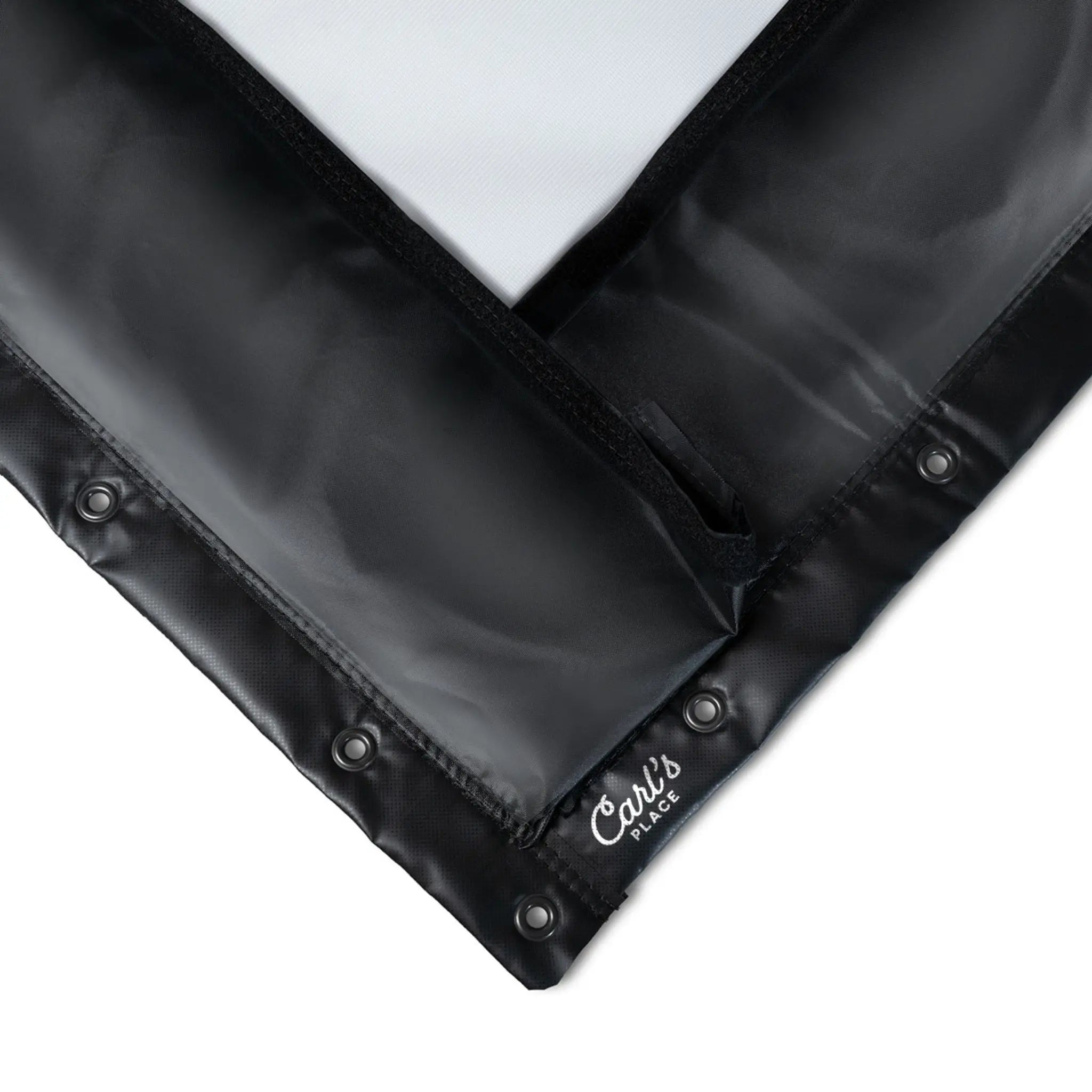
Classic finishing plus 7" nylon flaps edged with 1" loop fastener strips around the entire perimeter. The flaps let you cover your frame for a cleaner look and allow you to attach foam safety cushions (sold separately) to protect against errant shots hitting the frame. This is the same style used in Carl's Place DIY Enclosure Kits.
Classic with Loop Fastener
Classic finishing plus 1" loop fastener strips sewn around the entire screen perimeter. Great for DIYers who want to attach curtains, nets, side panels, or safety cushions using hook fastener. This is the same style used in Carl's Place Pro Enclosure Kits.
Available Sizes
4:3 Aspect Ratio — Most common for golf simulation
- 7.7' × 10' (77" × 120")
- 8' × 10.5' (96" × 126")
- 8.5' × 11.5' (102" × 138")
- 9' × 12' (108" × 144")
- 9.5' × 12.5' (114" × 150")
- 10' × 13' (120" × 156")
16:9 Aspect Ratio — Widescreen format
- 7.7' × 13' (77" × 156")
- 8' × 14' (96" × 168")
- 8.5' × 15' (102" × 180")
- 9' × 16' (108" × 192")
- 9.5' × 17' (114" × 204")
- 10' × 18' (120" × 216")
16:10 Aspect Ratio
- 7.7' × 11.5'
- 8' × 12'
- 8.5' × 13'
- 9' × 14'
- 9.5' × 15'
- 10' × 15.5'
1:1 Aspect Ratio — Square format
- 7.7' × 7.7'
- 8' × 8'
- 8.5' × 8.5'
- 9' × 9'
- 9.5' × 9.5'
- 10' × 10'
Other Standard Sizes
- 8' × 9'
- 9' × 10'
- 10' × 12'
- 10' × 14'
- 10' × 16'
Custom Sizes: Need a non-standard dimension? Contact us for custom screen sizing.
Technical Specifications
- Material: 100% heavy-duty polyester with silicone reinforcement
- Surface: Tightly woven for smooth HD picture; matte white finish
- Impact Rating: Tested to withstand golf ball speeds up to 250 MPH
- Projection: Front-projection only; compatible with HD projectors
- Edge Finishing: 2.5" black vinyl edges
- Grommets: 3/4" outer diameter, 3/8" inner diameter; smooth rounded front
- Recommended Use: Indoor only
- Mounting: Ball bungees (6" or 9") or reusable zip ties; do not secure directly through grommets
- Clearance: Maintain 12-16" gap between screen and rear surfaces
- Hitting Distance: Minimum 10-12 feet from screen
- Made to Order: Yes — production lead time varies based on volume
Installation Guidelines
Mounting Your Screen
- Use 6" or 9" ball bungees to attach the screen to your frame, truss, or enclosure
- Do not secure directly through the grommet holes — this prevents the screen from flexing on impact and increases ball rebound
- Do not over-tension the screen; some slack is required for proper impact absorption
- 9" bungees allow more slack and reduce bounceback; 6" bungees provide more tension
- Add or remove bungees to find your preferred balance between tension and slack
Correct Side Orientation
- The screen has a distinct front and back — only the front is rated for ball impact
- Mount with the Carl's Place logo in the bottom-left corner, facing the golfer
Wrinkle Prevention
- Unpack your screen promptly upon arrival
- If storage is necessary, fold loosely — avoid tight creases
- Most wrinkles will relax naturally once the screen is mounted with proper tension
- Do not iron — heat can damage the material
Rear Clearance
- Maintain 12-16" of space between the screen and any wall, pole, or surface behind it
- This allows the screen to flex on impact without striking hard surfaces
Care & Maintenance
- Use clean, white golf balls without dirt, grass, or marker ink
- Clean your clubs regularly — dirty grooves transfer debris to the screen
- Store in a dry, clean area when not in use
- Refer to Carl's Place Care & Use documentation for cleaning instructions
Pairs Well With
- Carl's Place DIY Enclosure Kit — For a complete, floor-to-screen immersive setup
- Carl's Place Pro Enclosure Kit — For wider/deeper bays with added safety
- 6" or 9" Ball Bungees — For mounting (sold separately)
- Foam Safety Cushions — Protect your frame and reduce ricochet (works with Flaps or Loop Fastener finishes)
Warranty
Carl's Place guarantees all screens to be free from defects in material and workmanship at the time of purchase. Warranty does not cover damage from use, modification, or normal wear and tear. For warranty claims, contact us with a description of the issue and proof of purchase.
Frequently Asked Questions
What's the difference between Standard, Preferred, and Premium screens?
Standard is entry-level with a loosely woven, open weave — budget-friendly but with visible texture. Preferred (this screen) has tightly woven fibers for a smoother surface and better HD picture at a mid-range price. Premium is the top tier with three-layer construction and the smoothest surface for best 4K image quality.
Is the Preferred screen good enough for a home simulator?
Yes — the Preferred screen is specifically designed for home simulators and light commercial use. If you're using an HD projector, the Preferred delivers excellent image quality at a better price point than Premium.
Should I upgrade to Premium?
If you're using a 4K projector and want the absolute best image clarity, or if you're building a commercial facility with heavy daily use, Premium is worth the upgrade. For most home setups with HD projectors, Preferred is the right choice.
Which aspect ratio should I choose?
Match your screen to your projector's native aspect ratio for optimal image fill. 4:3 is the most common for golf simulation. If you're prioritizing room fit over projection, choose the size that works for your space first.
How far should I stand from the screen?
Maintain a minimum of 10-12 feet between your hitting position and the screen for safety and screen longevity.
Can I use this screen outdoors?
No. Carl's Place impact screens are designed for indoor use only.
How many ball bungees do I need?
The recommended quantity varies by screen size. Refer to the Carl's Place Impact Screen Specifications document for your specific size, or contact us.
Which finishing style should I choose?
Classic if you're mounting to a simple frame and don't need to cover the frame or attach accessories. Classic with Flaps if you want to hide the frame and/or attach foam cushions for safety. Classic with Loop Fastener if you're doing a DIY build and want maximum flexibility to attach curtains, nets, or other accessories.
Can I order a custom size?
Yes. Contact us for custom sizing outside the standard options listed.
How long does production take?
Screens are made to order. Production lead time varies based on order volume. Add the item to your cart and enter shipping information to view current lead time estimates.
Choose options


