

GolfJoy Spica 3 Golf Simulator - SIG8 Complete Package
Triple-Camera Accuracy. Compact Enclosure. Use It Anywhere.
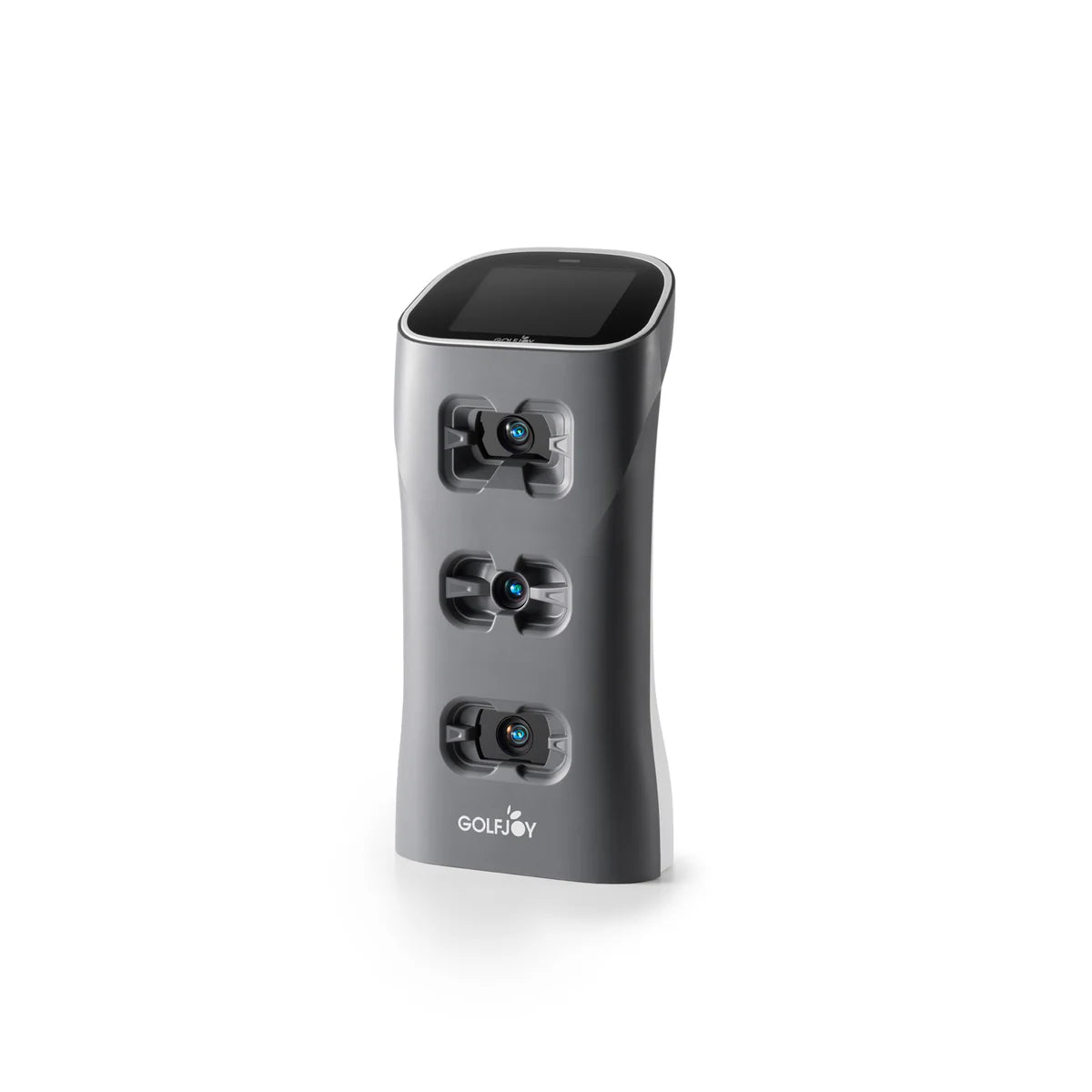
The GolfJoy Spica 3 Golf Simulator Bundle pairs the GolfJoy Spica 3 Launch Monitor with the SIG8 Golf Simulator Studio — bringing professional-grade triple-camera data to the most space-efficient enclosure in The Indoor Golf Shop's Signature Series. The Spica 3 delivers 27 data points covering ball flight, club delivery, and full trajectory analysis, with a sub-0.3 second response time and compatibility with GSPro, E6 CONNECT, and Creative Golf — no connector fees required.
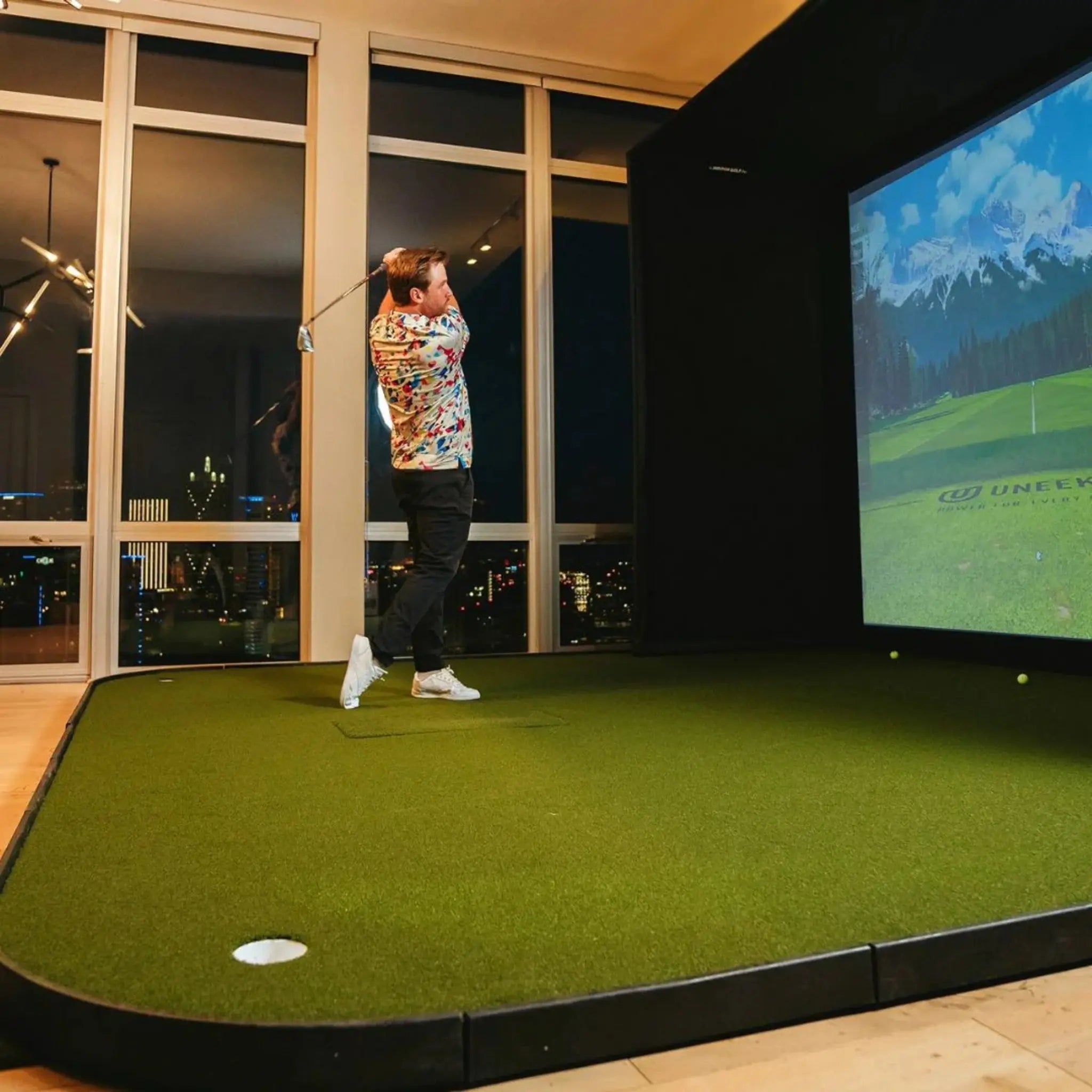
What sets this bundle apart is flexibility. The Spica 3 is fully portable — a 12,800 mAh integrated battery runs 6.5–7.5 hours, and the included carrying backpack means you can take it to the driving range, the course, or a friend's simulator when you're not using it in your SIG8. No other monitor in this price range gives you a dedicated home simulator and a capable range tool in the same box.
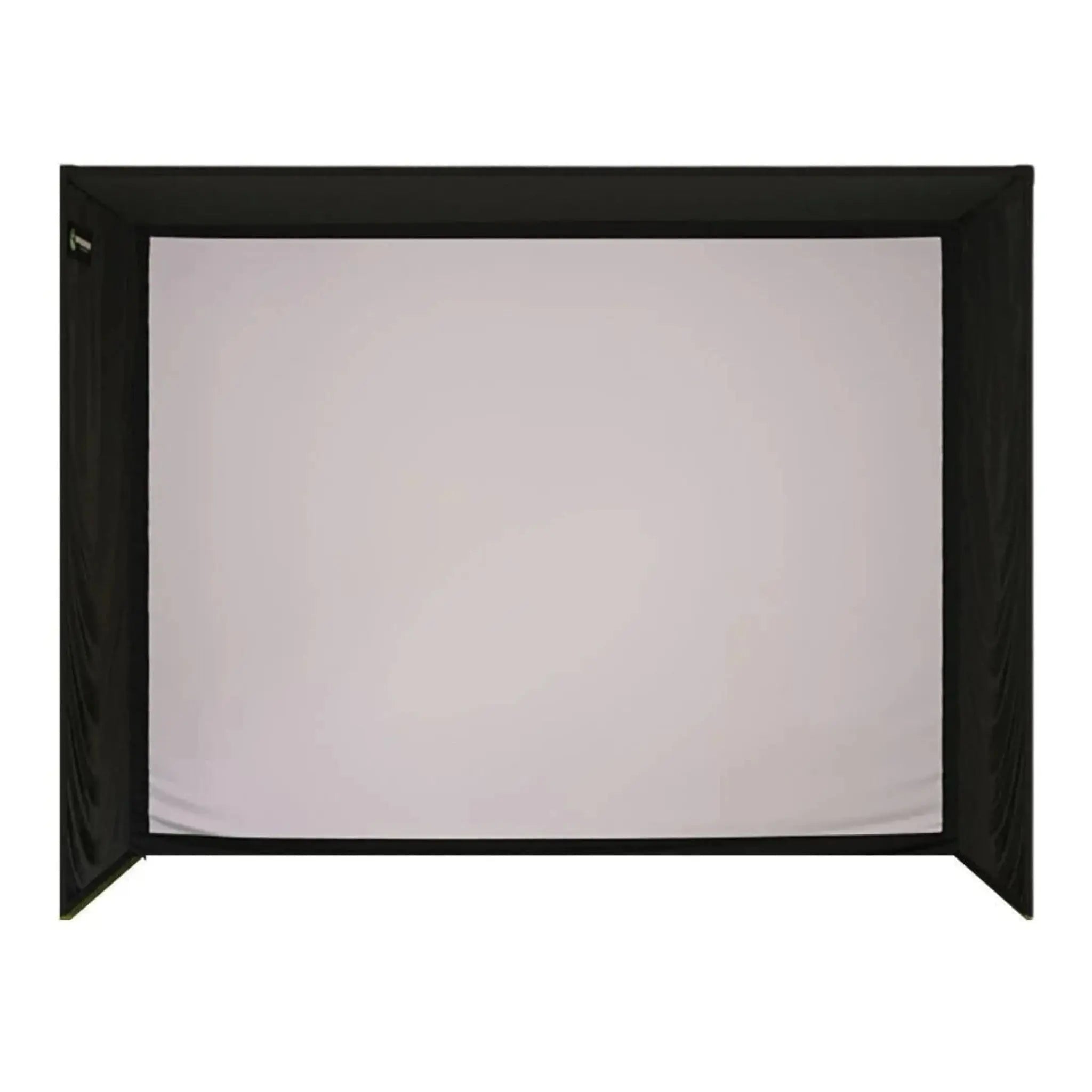
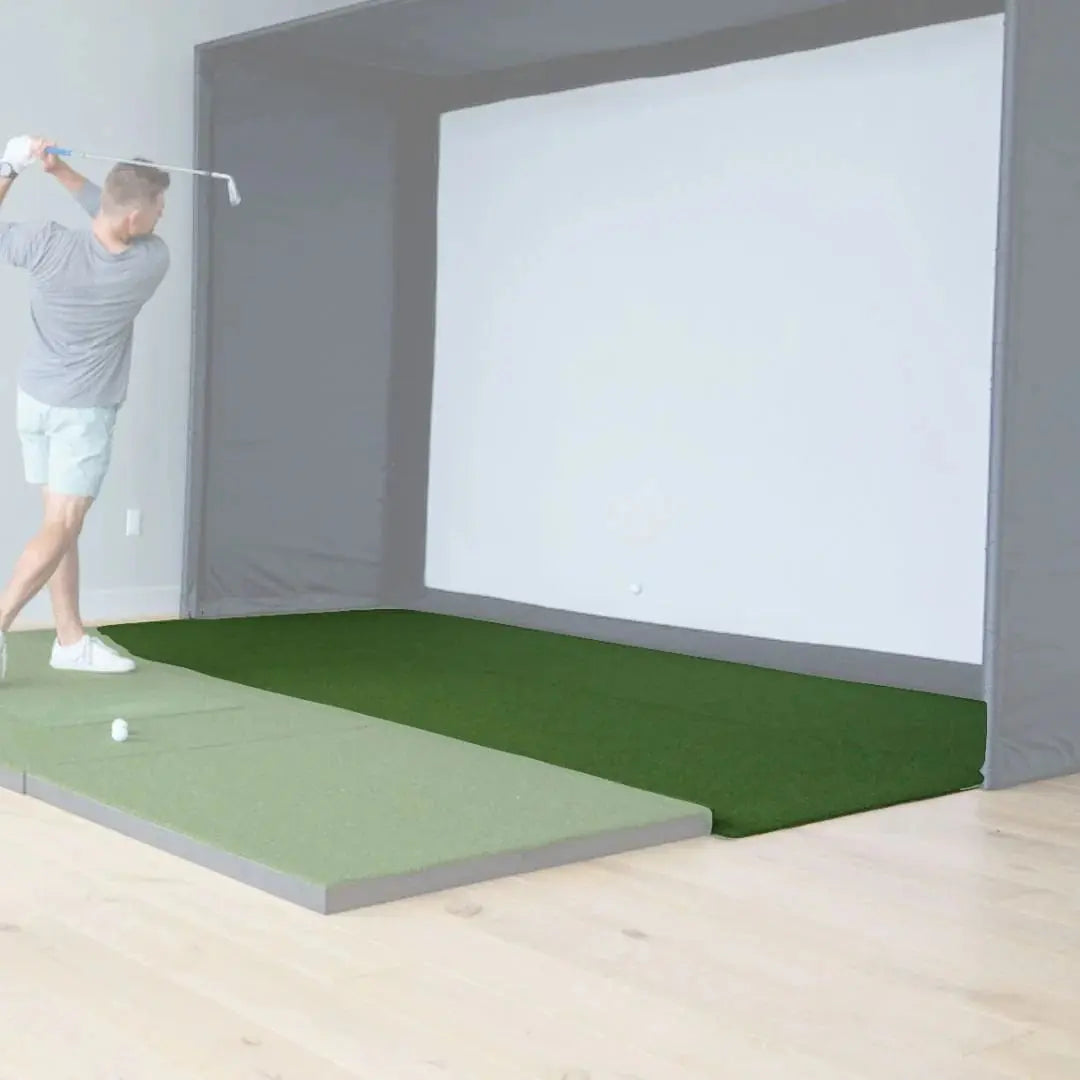
The SIG8 Studio fits rooms as narrow as 9' wide, houses the SIGPRO Premium Impact Screen (MyGolfSpy's independent testing winner), and assembles in an afternoon with its color-coded push-pin system. Select your mat, add a projector if needed, and you're playing.
Key Benefits
- ✔ Triple High-Speed Camera System — 27 Data Points
Three synchronized cameras with AI-driven processing deliver comprehensive ball, club, and trajectory data on every shot — including spin axis, attack angle, curve carry, descent angle, and 16 full trajectory metrics most monitors don't track. - ✔ Fully Portable — Use It Indoors or Take It Anywhere
At 6.6 lbs with a 6.5–7.5 hour battery, the Spica 3 moves with you. Set it up in your SIG8 for simulator play, then grab it for a range session or outdoor practice without any additional equipment needed. - ✔ Works with Any Golf Ball
AI-powered recognition tracks any ball type — including plain white range balls — with no special markings, dots, or proprietary balls required. - ✔ No Connector Fees for GSPro, E6 CONNECT, or Creative Golf
The Spica 3 connects natively to all three simulators. No third-party connector purchase, no annual unlock fees — just plug in and play. - ✔ Built-In Touchscreen Display
View your data instantly on the integrated LCD touchscreen — no phone or tablet required for basic use. Adjust settings and review metrics right on the unit. - ✔ Sub-0.3 Second Response Time
Shot data appears virtually instantly after impact. Critical for simulator play and effective practice — no waiting between shots. - ✔ 9-Axis Stabilization for Indoor and Outdoor Use
Integrated gyroscope, barometer, and temperature sensors keep readings accurate on uneven terrain and in varying conditions — including outdoor environments. - ✔ Automatic Left/Right Detection
The Spica 3 detects handedness automatically. No manual adjustment when switching between left- and right-handed players. - ✔ SIGPRO Premium Impact Screen — MyGolfSpy Independent Testing Winner
Three-layer tight-knit polyester rated for 250 MPH ball strikes. Superior durability, quieter operation, and reduced bounce-back versus leading competitors. - ✔ Compact SIG8 Enclosure — Fits Tight Spaces
At just 8'4" × 8'4" × 5', the SIG8 fits apartments, spare bedrooms, narrow garages, and offices where larger enclosures won't go. - ✔ Color-Coded, DIY-Friendly Assembly
The SIG8 frame uses push-pin poles and color-coded connectors — quick, frustration-free setup without professional help.
Who Is This For?
- ✅ Golfers who want a home simulator and a portable range tool in one purchase
- ✅ Those with limited space — apartments, spare bedrooms, narrow garages — who want a full projection setup
- ✅ Range regulars who want real data during practice sessions, not just ball watching
- ✅ Budget-conscious builders who want triple-camera accuracy without a ceiling-mounted installation
- ✅ GSPro, E6 CONNECT, or Creative Golf users who want native integration without connector fees
- ✅ Players who travel or share a simulator space and need a monitor they can pack up and take with them
- ✅ Coaches and fitters looking for a versatile, transportable data tool that also works in a home sim
What's in This Bundle
| Component | Details |
|---|---|
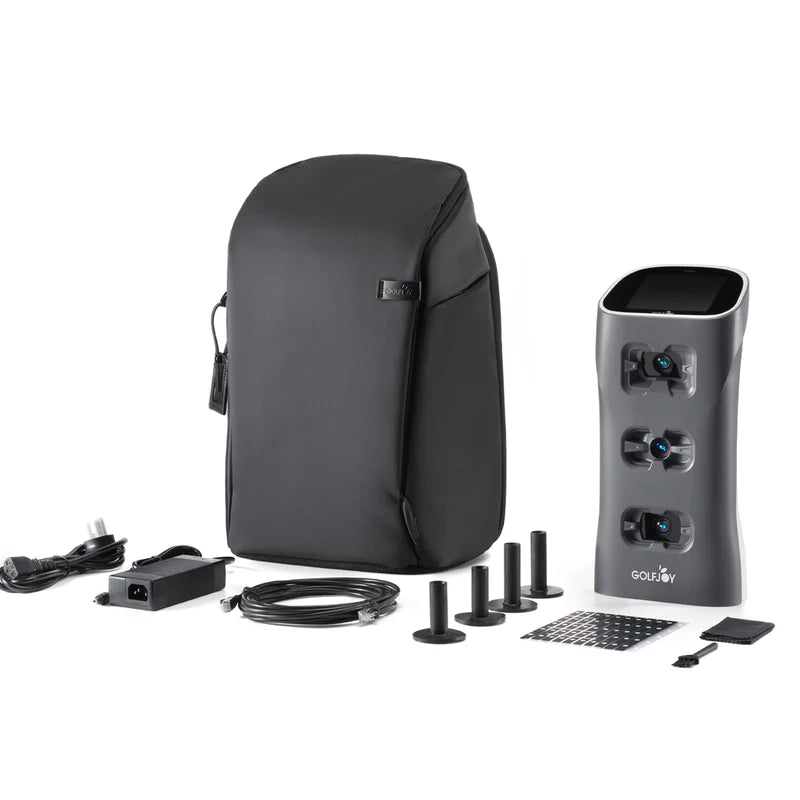
| GolfJoy Spica 3 Launch Monitor | Triple high-speed cameras · 27 data points · Built-in touchscreen · 6.5–7.5 hr battery · Wi-Fi, Bluetooth, Ethernet, NFC |
| Power Adapter & Cable | For charging and wired operation |
| Ethernet Cable | For wired simulator connection |
| Clubhead Stickers | Required for club data capture (included in box). Ball data works without stickers. |
| Rubber Tee | For use with the Spica 3 outdoors or on mats that don't accept real tees |
| Carrying Backpack | For portable use at the range or on the go |
| Cleaning Cloth & Brush | For lens and camera maintenance |
| 3-Month GolfJoy PC Software Trial | Full access to GolfJoy 4K simulation software for 3 months |
| Lifetime GolfJoy Mobile App Access | GolfJoy PRO and GolfJoy Space — iOS & Android |
| SIG8 Studio Enclosure | Powder-coated steel frame · Color-coded push-pin assembly · 8'4" × 8'4" × 5' |
| SIGPRO Premium Impact Screen | 7'7" × 7'7" (10'8" diagonal) · MyGolfSpy-tested · 250 MPH rated · Double-stitched with grommets |
| SIG Surround | Vinyl wrap for a clean, finished look |
| Side Barrier Netting | Catches errant shots on both sides |
| Landing Pad Turf | Fills gap between screen and mat; protects floor |
| Foam Padding | Protective padding on all sides of screen |
| 6" Ball Bungees | For mounting screen and surround |
| Choice of Hitting Mat | Select from mat options at checkout (see below) |
| Optional Projector | Choose from HD or 4K options at checkout, or select "No Projector" to use your own |
| Assembly Manual + Video Access | Step-by-step guides for both components |
Hitting Mat Options
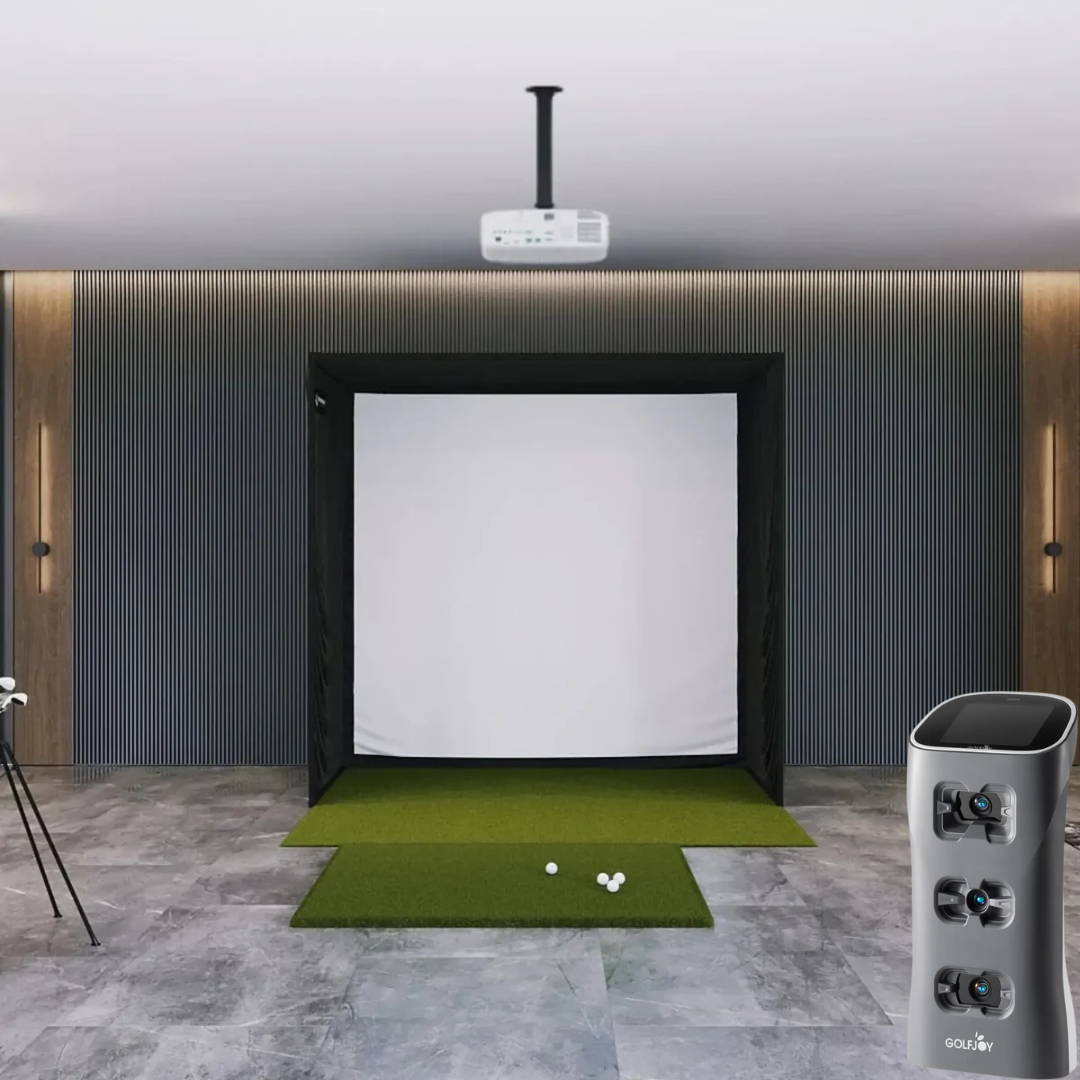
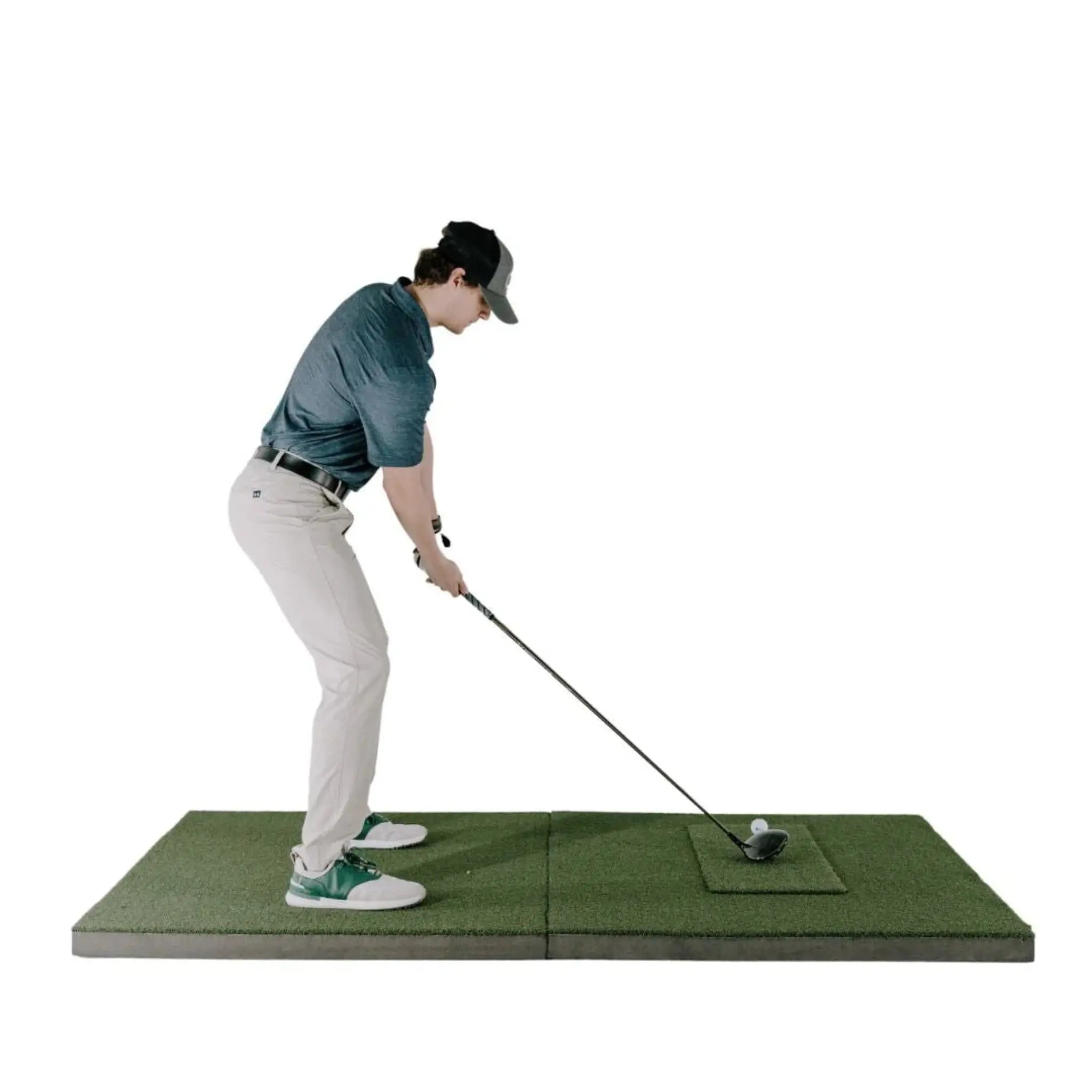
Select your hitting surface at checkout. The Spica 3 is a floor-mounted unit that sits beside the golfer — mat selection affects both feel and unit placement. The SIGPRO Softy 4'×7' is particularly well-suited for this setup, providing a larger surface that keeps the unit at a stable, level height alongside the hitting area.
| Mat Option | Size | Best For |
|---|---|---|
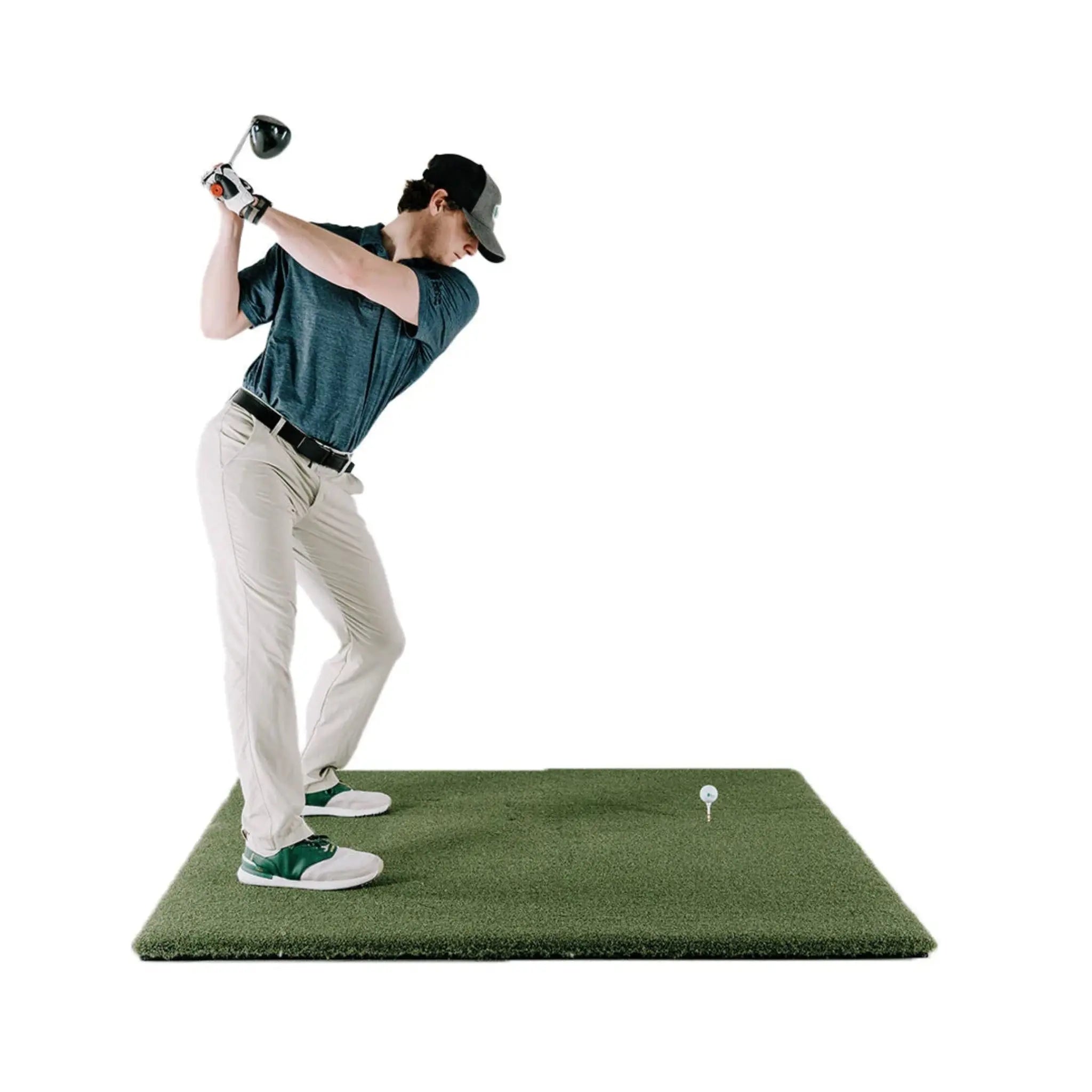
| Fairway Series | 5' × 5' | Realistic turf feel, accepts real tees. Position the Spica 3 just outside the mat edge beside your hitting position. |
| SIGPRO Softy | 4' × 7' | Recommended for floor-mounted monitors. Soft foam backing is easy on joints, and the larger footprint keeps the unit stable and level alongside the hitting area. |
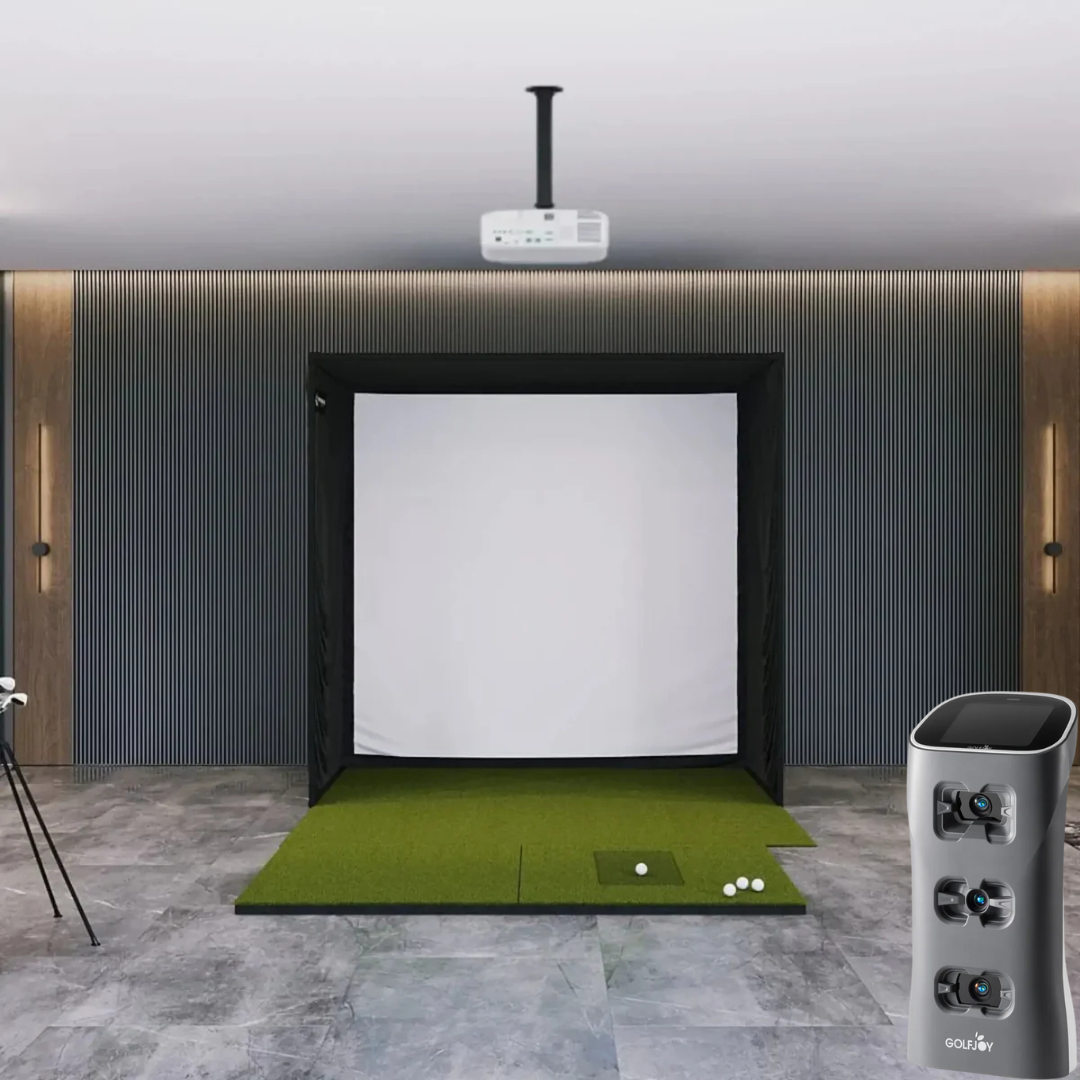
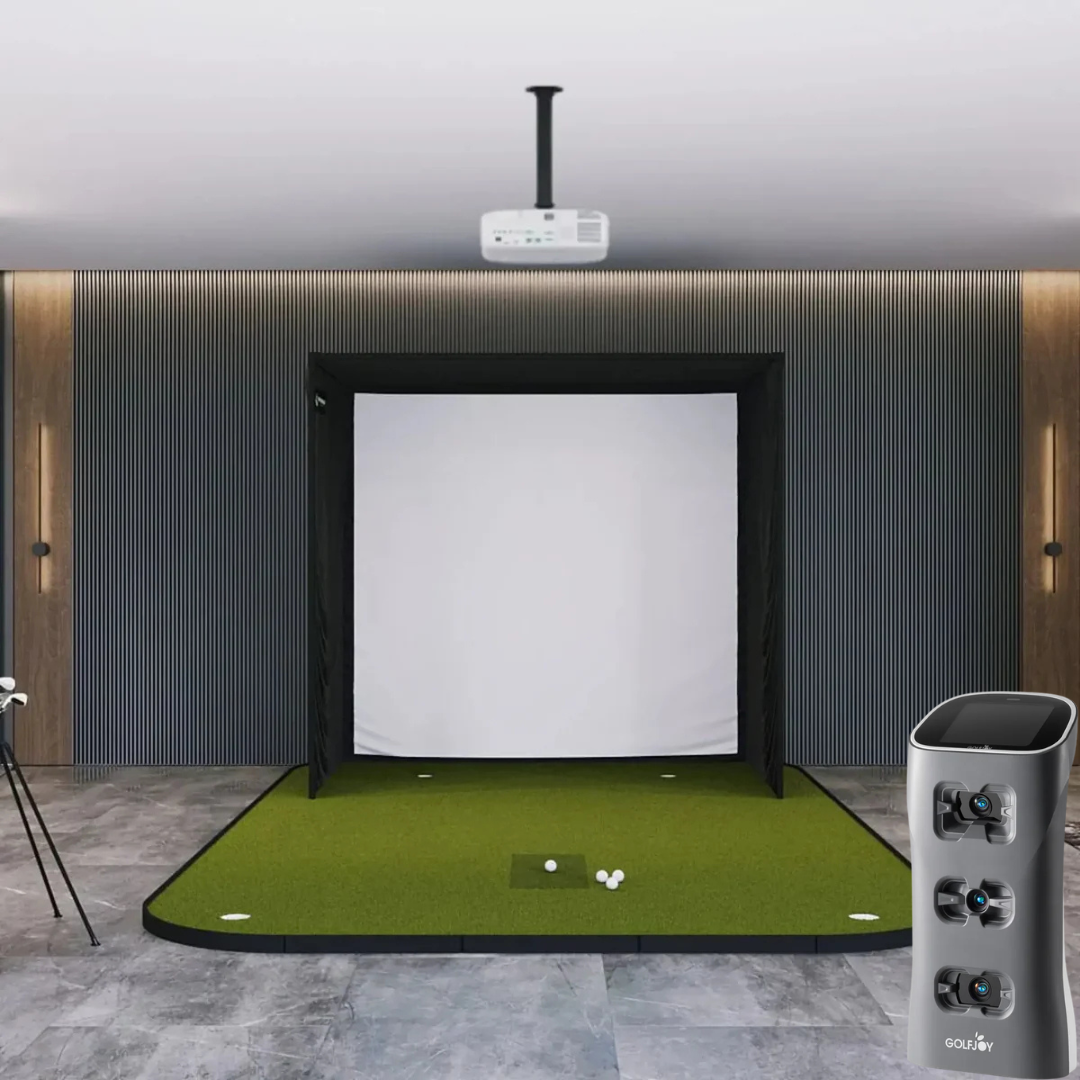
| SIG8 Simulator Flooring | Integrated | Premium DIY look with integrated hitting strip and putting green (4 cup positions). Best for golfers who want short game practice and professional aesthetics. |
Note: The SIG8 is not wide enough to accommodate the 4' × 10' double-sided mat. For a center-tee left/right alternating setup at mat level, consider the SIG10 or SIG12 bundle. The Spica 3 detects handedness automatically, so no mat adjustment is needed when switching players.
Projector Options
A projector is not required to use the Spica 3 — its built-in touchscreen displays shot data independently. For the full simulator experience on the SIG8 screen, a short-throw projector is strongly recommended.
The SIG8 screen has a 1:1 aspect ratio, resulting in approximately 80% image fill with slight letterboxing (black bars above and below) when using a standard 16:9 projector. This is normal and expected for the SIG8.
| Model | Resolution | Type | Notes |
|---|---|---|---|
| TH671ST | 1080p Full HD | Short Throw | Entry-level HD option. Great value for a dedicated indoor simulator space. |
| AH30ST | 1080p Full HD | Short Throw | HD short throw with higher brightness. Strong all-around performer. |
| TK710STi | 4K UHD | Short Throw | Step-up to 4K. Noticeable improvement in image sharpness on the SIGPRO screen. |
| AH700ST | 4K UHD | Short Throw | 4K short throw with high lumen output. Handles ambient light well. |
| LK830ST | 4K UHD | 4K Short Throw | 4K with strong brightness — excellent for mixed-light rooms. |
| AK700ST | 4K UHD | 4K Short Throw | High-lumen 4K short throw. Ideal balance of brightness and image quality. |
| LK936ST | 4K UHD | 4K Laser Short Throw | Top-tier laser projection. Exceptional brightness, longevity, and color accuracy. |
| No Projector | — | — | Use your own projector. Ensure it is short-throw compatible with your room depth. |
GolfJoy Spica 3 — What's Measured
| Category | Data Points |
|---|---|
| Ball Data (7) | Ball Speed · Launch Angle · Back Spin · Side Spin · Spin Rate · Spin Axis · Launch Direction |
| Club Data (4) | Club Speed · Club Path · Smash Factor · Attack Angle Note: Club stickers (included) required for club data capture |
| Trajectory Data (16) | Apex · Total Distance · Carry Distance · Roll Distance · Carry % · Roll % · Landing Angle · Hang Time · Curve · Curve Carry · Side Carry · Deviation · Deviation Angle · Center Line · Gap · Target Line Carry |
Technical Specifications
GolfJoy Spica 3 Launch Monitor
| Spec | Detail |
|---|---|
| Cameras | 3 synchronized high-speed cameras with dual LED lighting |
| Data Points | 27 total (ball, club, trajectory) |
| Response Time | < 0.3 seconds after impact |
| Hitting Zone | 250mm × 250mm (approx. 10" × 10") |
| Ball Type | Any standard golf ball — no special markings required |
| Club Stickers | Required for club data · Included in box |
| Handedness | Automatic left/right detection — no manual setup |
| Mounting Style | Floor-mounted · Built-in kickstand · Portable |
| Dimensions | 163mm W × 99mm H × 340mm D (6.4" × 3.9" × 13.4") |
| Weight | 3.0 kg / 6.61 lbs |
| Battery | 12,800 mAh integrated lithium-ion |
| Battery Life | 6.5–7.5 hours continuous use |
| Charge Time | ~4 hours |
| Display | Built-in LCD touchscreen |
| Connectivity | Wi-Fi · Bluetooth · Ethernet · NFC |
| Sensors | 9-axis gyroscope, GPS, barometer, temperature |
| Material | PC shell + TPU |
SIG8 Golf Simulator Studio Enclosure
| Spec | Detail |
|---|---|
| Enclosure Width | 8'4" (100") |
| Enclosure Height | 8'4" (100") |
| Enclosure Depth | 5' (60") |
| Screen Width | 7'7" (91") |
| Screen Height | 7'7" (91") |
| Screen Diagonal | 10'8" (128") |
| Aspect Ratio | 1:1 (square) |
| Image Fill | ~80% with standard 16:9 projector output |
| Screen Material | Three-layer tight-knit polyester (SIGPRO Premium) |
| Impact Rating | 250 MPH |
| Frame Material | Powder-coated steel |
| Assembly | Color-coded push-pin poles and connectors |
Software & Simulator Compatibility
Included with Spica 3:
- 3-Month GolfJoy PC Software Trial — Full access to GolfJoy 4K simulation software
- Lifetime GolfJoy Mobile App Access — GolfJoy PRO and GolfJoy Space (iOS & Android)
Third-Party Simulator Compatibility (No Connector Fee):
- GSPro — Native integration
- E6 CONNECT — Native integration
- Creative Golf — Native integration
Third-party software requires its own separate license. The Spica 3 does not charge additional connector fees for any of the above integrations.
What's Included
- GolfJoy Spica 3 Launch Monitor
- Power Adapter & Cable
- Ethernet Cable
- Clubhead Stickers (for club data)
- Rubber Tee
- Carrying Backpack
- Cleaning Cloth & Brush
- 3-Month GolfJoy PC Software Trial
- Lifetime GolfJoy Mobile App Access (iOS & Android)
- SIG8 Enclosure Frame — Powder-coated steel with color-coded push-pin assembly
- SIGPRO Premium Impact Screen — 7'7" × 7'7", MyGolfSpy-tested, double-stitched with grommets
- SIG Surround — Vinyl wrap for finished appearance
- 6" Ball Bungees — Screen and surround mounting
- Landing Pad Turf — Floor protection between screen and mat
- Protective Foam Padding — All sides of frame
- Side Barrier Netting
- Push-Pin Poles & Connectors (color-coded)
- Choice of Hitting Mat (Fairway 5'×5', SIGPRO Softy 4'×7', or SIG8 Simulator Flooring)
- Optional Projector (if selected at checkout)
- Assembly Manual & Video Access
What's NOT Included
- Projector (unless selected at checkout)
- Projector mount and cables
- Computer / PC for simulator software
- Simulator software — GSPro ($250/yr), E6 CONNECT, etc. sold separately
Space & Setup Requirements
| Requirement | Detail |
|---|---|
| Minimum Room Width | 9' (enclosure is 8'4" wide) |
| Minimum Ceiling Height | 9' — required for comfortable full swing in the SIG8 (8'4" tall frame). The Spica 3 requires a minimum of 9' indoor ceiling height. |
| Recommended Ceiling Height | 9'–10' for comfortable full swing clearance |
| Minimum Distance to Screen | 2 yards (approx. 6 feet) from hitting position to screen — the SIG8's 5' depth plus hitting mat distance typically satisfies this requirement |
| Room Depth Required | 5' for enclosure + hitting mat + swing clearance (typically 12–15' total room depth recommended) |
| Spica 3 Placement | Unit sits on the floor to the right (or left) of the hitting position, parallel to the target line. Position alongside the mat edge within the enclosure bay. |
| Clearance Behind Screen | Leave at least 6–12" behind the impact screen for ball flex — do not mount flush to a wall |
| Spica 3 Setup Time | Under 5 minutes — place unit, power on, align, connect, start hitting |
| SIG8 Assembly Time | Approximately 1–2 hours with two people |
| Electrical | Standard outlet for projector (if applicable) and PC · Spica 3 operates on internal battery or can run plugged in |
Setup & Assembly
Spica 3 Setup (Under 5 Minutes):
- Place the Spica 3 on the floor beside your hitting position, parallel to your target line
- Deploy the built-in kickstand and power on (hold button 1 second)
- Align using a club shaft or mat edge as a reference
- Connect via touchscreen, NFC tap, or app pairing
- Apply clubhead stickers if capturing club data
- Start hitting — data appears in under 0.3 seconds
SIG8 Enclosure Assembly (Approx. 1–2 Hours with Two People):
- Assemble frame using color-coded poles and push-pin connectors
- Attach vinyl SIG Surround to frame
- Mount SIGPRO Premium screen using included ball bungees
- Install protective foam padding on all sides
- Attach side barrier netting
- Position landing pad turf and hitting mat
Tools Required: Basic hand tools; step stool recommended for enclosure assembly. No tools required for Spica 3 setup.
SIG8 vs. SIG10 vs. SIG12 — Which Enclosure Is Right for You?
| Specification | SIG8 | SIG10 | SIG12 |
|---|---|---|---|
| Enclosure Width | 8'4" | 10'10" | 12'2" |
| Enclosure Height | 8'4" | 8'4" | 9'4" |
| Screen Diagonal | 10'8" | 12'7" | 14'3" |
| Aspect Ratio | 1:1 | 4:3 | 4:3 |
| Image Fill | ~80% | 100% | 100% |
| Min Ceiling Height | 9' | 9' | 10' |
| 4'×10' Mat Compatible | No | Yes | Yes |
Choose this SIG8 bundle if space is your primary constraint. The SIG8 fits rooms as narrow as 9' wide. The Spica 3's automatic handedness detection means no mat or unit adjustments are needed when switching players.
Choose SIG10 if you have a standard garage or basement (11'+ wide, 9'+ ceiling) and want 100% full-screen image fill with no letterboxing.
Choose SIG12 if you have 13'+ room width and 10'+ ceilings and want the largest screen and tallest frame in the SIG Series — 14'3" diagonal, 9'4" tall.
Shipping & Returns
Shipping: Ships in 7–10 business days. Free shipping within the contiguous United States.
Returns: 30-day hassle-free return policy. Customer responsible for return shipping costs. A 15% restocking fee applies.
Frequently Asked Questions
Do I need special golf balls?
No. The Spica 3's AI-powered recognition works with any golf ball, including plain white range
balls. No special markings, dots, or proprietary balls are required.
Are club stickers required?
Clubhead stickers are required to capture club data (club speed, path, attack angle, smash
factor). Stickers are included in the box. Ball and trajectory data — all 23 of the remaining
data points — work without stickers.
Does the Spica 3 work with GSPro?
Yes. The Spica 3 connects natively to GSPro, E6 CONNECT, and Creative Golf with no additional
connector purchase required.
Is there a subscription fee?
No mandatory subscription. You receive a 3-month GolfJoy PC software trial and lifetime access
to GolfJoy mobile apps. Third-party software (GSPro, E6, etc.) may have separate licensing costs.
Can I use the Spica 3 outdoors or at the range?
Yes. The Spica 3 has a dedicated outdoor mode and a 6.5–7.5 hour battery. Take it to the
driving range, the course, or a backyard practice area — the same unit that runs your home
simulator works just as well outside.
Does it support left-handed golfers?
Yes. The Spica 3 automatically detects left- or right-handed swings with no manual adjustment.
Where does the Spica 3 sit in the enclosure?
The unit sits on the floor to the side of your hitting position (right side for right-handed
golfers, left side for left-handed golfers), parallel to the target line. It fits comfortably
within the SIG8 bay alongside any of the available mat options.
Does the bundle include a projector?
A projector is optional — select your preferred model at checkout, or choose "No Projector."
The Spica 3 displays data on its own built-in touchscreen regardless of projector selection.
Why does the SIG8 screen show ~80% image fill?
The SIG8 has a 1:1 (square) aspect ratio, while most projectors output a 16:9 image. This
creates slight letterboxing above and below. The SIG10 and SIG12 use 4:3 screens that produce
100% image fill. Letterboxing does not affect gameplay.
What's the warranty on the Spica 3?
The GolfJoy Spica 3 includes a manufacturer warranty. Contact Golf Sim Depot at (770) 766-5571
for full warranty details. The SIG8 Studio is covered under The Indoor Golf Shop's standard
warranty.
Choose options


